Labels

eXTReMe Tracker
Showing posts with label tools. Show all posts

Thursday, 21 June 2012

Smart tools apk v1.0 download


Smart tools v1.0
Smart tools apk v1.0 download
Requirements: Android 2.3.3 and up
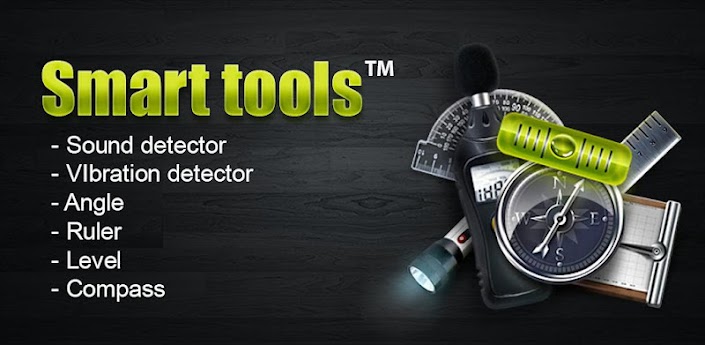
Overview: “All in one” application, which consists of a set of 7 powerful tools for Android.
Smart tools v1.0
It includes:
1. Flashlight
It gives you the possibility of using the LED flash of your Smartphone. If the Smartphone is not equipped with a flashlight then the screen will be instead of it.
2. Compass
Using it you will never get lost.
3. Protractor 3 modes
1) Using the protractor number one you can set the angle manually by touching the screen.
2) The protractor number two is equipped with a pendulum that will better define the desired angle. It is enough in the right moment to stop the pendulum with a simple finger touch.
3) The third protractor also has a pendulum. The main difference from the previous: Last protractor works with the Smartphone / tablet camera so you can change any angle, of any type.
4. Ruler
It allows you to measure the size of the object by putting them on the screen. You can measure the object with tenths of the millimeter. In the process of measurement can be used up to 2 fingers.
5. Spirit Level
Using the Spirit Level you can measure the evenness of the surface by putting your phone on it.
6. Sound level meter
It is an instrument for measuring the level of noise. Using sound level meter, you can easily find out in how loud environment you are.
7. Vibrometer
Device designed to control and measure vibration. Using it you can measure the overall vibration
Free Smart tools v1.0 apk

Saturday, 14 April 2012

Root Firewall Pro v0.93 apk

Root Firewall Pro v0.93 apk
Requirements: Android 2.0 & ROOT
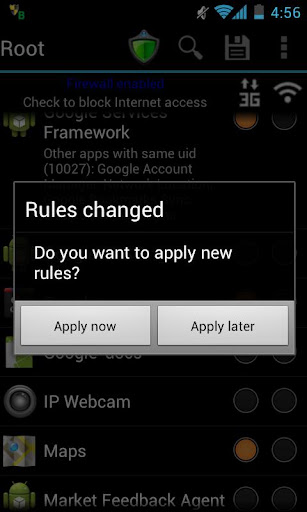
Overview: This is the best choice to ad-blocking, prevent data over-billing, save battery life, as well as protect your privacy
  Root Firewall Pro v0.93 apk

Feature:
☆ Block Internet access for any apps:
☆ Separate 3G and WiFi data
☆ One-click widget enabled
☆ Test blocked app in a touch

Requirements
☆ Rooted devices


More details
☆ Block Internet access for any apps:
One can select to block a selected application or applications, application running as root. Since it blocks Internet access per application ID (UID in regular Linux system), several applications may be assigned the same ID, you should block all of them or nothing.
☆ Separate 3G and WiFi data
For each application, you can select to block Internet access via either 3G or WiFi channel. It’ s extremely helpful if you don’t have an unlimited data plan. It saves you from over-billing because of background application accessing Internet such as Google+, Google Play or Amazon Music.
☆ One-click widget enabled
One-click widget is the easiest way to toggle blocking status. It’s useful when you don’t want to use data connection and occasionally turn it on for a while.
☆ Test blocked app in a touch
Once you block an app, tap on it to see if the application can access to Internet or not.


What's in this version:
Code:
v0.93
Detect non-root device and alert users
v0.92
Improve firewall script
v0.91
Fix bug on Motorola Milestone
v.0.9
First release
More info:

Code:
https://play.google.com/store/apps/details?id=com.rootuninstaller.firewall

https://play.google.com/store/apps/details?id=com.rootuninstaller.rootfirewallkeyapp&feature=search_result#?t=W251bGwsMSwxLDEsImNvbS5yb290dW5pbnN0YWxsZXIucm9vdGZpcmV3YWxsa2V5YXBwIl0.
Released by chathu_ac

Friday, 13 April 2012

RootzBox Utility App b004 apk

RootzBox Utility App b004 apk
RootzBox Utility App b004
Requirement: Android 1.6 or higher
Overview: RootzBox is a new utility from RootzWiki that is designed to help users with all their flashing and root needs.
Description
***NOTE: THIS IS A PAID BETA, THERE WILL BE BUGS AND LOTS OF UPDATES. AD SUPPORTED VERSION TO COME AT A LATER DATE***

50% off until Ad supported version is released.

THIS WILL NOT ROOT YOUR PHONE. BEFORE YOU RATE LOW, CHECK THE SUPPORT THREAD.

Thanks for supporting us!

RootzBox is a new utility from RootzWiki that is designed to help users with all their flashing and root needs. The application is currently in early beta, which means there will be bugs, and the application is not nearly complete.

Goals of RootzBox:
-Focus on integration with RootzWiki
-Don't re-invent the wheel. We will support other devs and link back to their apps
-Include a few "must-have" tools for users' daily needs

Features:

File browser
- basic functionality: copy, paste, delete, multi-select, zipping, viewing text
- shortcuts to folders on desktop
- view and copy MD5 of files
- FUTURE: multi-tabs, ability to explore zip files

Logcat
-Collects the output of the logcat, uploads to a website and sends you back a short-url for sharing with a dev or friend
- FUTURE: view recently uploaded logs, more sharing options, logcat viewer

LCD Density Wizard

Build Prop Editor
- Backup/Restore functionality
- Descriptions of important properties
- FUTURE: add more properties (and suggest some)

News Widgets
- 3 styles, scroll through newest news on your launcher
- updates every hour

Please note: this is a beta. There will be bugs and updates will be frequent. New features will be added with future updates, along with bug fixes. Please send us reports of any logs. Here are some of the new features we've got planned:
- RW Wiki integration
- Online file repository for devs to upload kernels, themes, and mods and give users ability to browse/download/flash on their phone
- RSS feeds for forums
- Wallpaper manager
- Font manager
- and many many more features planned!


What's in this version:
  • added current mount status when browsing file manager
  • fixed widget FCs
  • fixed widgets displaying wrong images
  • fixed File Manager incompatibility on most devices
  • fixed File Manager refresh function
  • fixed build prop backup dialog for non-ICS devices
  • rename dialog now has file name in text box for ease of use
More info
Code:
https://play.google.com/store/apps/details?id=com.rootzwiki.rootzbox

ROM Toolbox Pro v4.6.0 apk

ROM Toolbox Pro v4.6.0 apk
Requirements: Android 1.6+
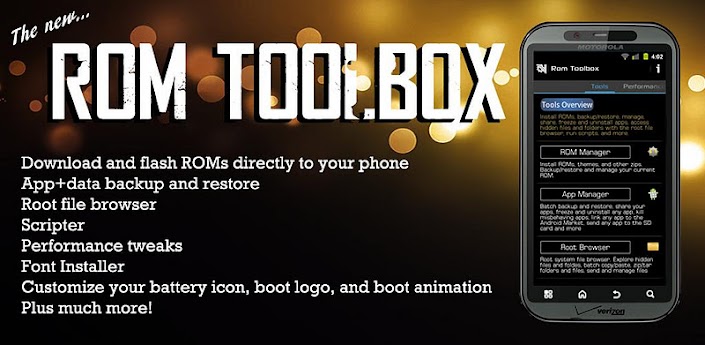
Overview: ROM Toolbox is the MUST HAVE app for any rooted user.
 
ROM Toolbox Pro v4.6.0 apk

ROM Toolbox combines all the great root apps all tied up into one monster app with a beautiful and user-friendly interface. It also adds many more unseen features!
This app requires root permission.

**************
FEATURE LIST:
**************

==== TOOLS ====

-- ROM Manager --
☆ Install full ROMs and other zips from a growing list of ROMs
☆ Create, manage and restore nandroid backups
☆ Wipe data, cache, dalvik-cache, battery stats
☆ Install a ROM from your SD card

-- App Manager --
☆ Batch backup & restore
☆ Automatically backup apps when they are installed
☆ Automatically delete backups when uninstalled (off by default)
☆ Send backups via gmail/email or dropbox
☆ Sort backups by already installed, same as installed, older versions, etc.
☆ Backup/restore app data
☆ Backup/restore Android Market link
☆ Task manager
☆ View memory usage
☆ Show/hide different processes
☆ Automated batch uninstaller
☆ E-mail your apps to friends
☆ Share with other applications which accept text (SMS, facebook, google reader, etc...)
☆ Move *any* user app to the SD card
☆ Freeze/Defrost system & user apps
☆ Market Doctor (Link *any* app to the Android Market)
☆ Break market links
☆ Clean up dalvik-cache
☆ Zipalign all apks
☆ Fix permissions on all apps
☆ Wipe data or cache for apps
☆ Force close apps

-- Root File Browser --
☆ Access the whole of android's file system (including the elusive data folder!).
☆ Batch copy/paste, zip, tar, delete, move any file or folder
☆ Change file permissions and ownership
☆ View, edit and share files
☆ Add new files & folders in any directory

-- Scripter & Terminal Emulator --
☆ Create and run scripts as root
☆ Download & run new scripts from an ever-growing list

-- Auto Start Manager --
☆ Enable/disable apps that run on start-up
☆ Enable/disable any intent/action apps receive

-- Ad Blocker --
☆ Choose to block ads, porn, casino & risky sites
☆ Add new sites to the hosts file
☆ Use custom IP

-- Configure Apps2SD --
☆ Select the default install location for apps

-- Rebooter --
☆ Reboot recovery, powerdown, bootloader, restart status bar, etc.

==== INTERFACE ====

-- Font Installer --
☆ Install custom fonts to your whole device from a list of over 150
☆ Set fonts as favorites and send them to friends

-- Boot Animation Installer --
☆ Install custom boot animations from over 100+
☆ Preview boot animations
☆ Backup & preview your current animation

-- Theme Manager --
☆ Create themes to install to your system
☆ Install a theme from other users

-- Icon Changer --
☆ Customize your status bar by installing custom icons for wifi, 3g/4g, gps, usb, etc.
☆ Change your battery icons in the status bar to a custom one from a list of 150+

-- Boot Logo Changer --
☆ Change your boot logo (splash screen) for supported phones

-- Theme Chooser Themes --
☆ View a list of themes for the CM7 theme chooser

==== PERFORMANCE ====

-- CPU Sliders --
☆ SetCPU and scaling governor
☆ Apply cpu at boot
☆ View cpu info

-- Build.prop Tweaks --
☆ Easily edit your build.prop
☆ Change lcd density, improve battery life, increase performance

-- Auto Memomory Manager --
☆ Set minfree values and select from presets
☆ Apply minfree at boot

-- SD Boost --
☆ Increase the speed of your SD card

-- Sysctl Tweaks --
☆ Easily modify sysctl values

**************

Are you a ROM developer? Get your ROM in Rom Toolbox today! Email us, what are you waiting for? We would also love if you put ROM Toolbox (free) in your ROM. Email us and we will offer support

SEO: root, busybox, unlock, s-off, rom manager, liberty, cyanogen, cyanogenmod, cm7, jailbreak, jrummy, script, root explorer, absolute system, root tools, superuser, xda, tether, terminal, setcpu, overclock, cpu, titanium, backup, apps2sd, cachemate, rooted, MyBackup, drocap2, metamorph


What's in this version:


  1. 4.6.0:
  2. Fix misc. force closes introduced in last version. My bad!!
  3. What's new in version 4.5.5:
  4. Re-wrote the App Manager. New features include:
  5. ☆ Scheduled weekly backups
  6. ☆ Backup apps to dropbox
  7. ☆ Faster app loading
  8. ☆ Restore from CWR backups
  9. ☆ Backup/Restore text messages, accounts, bookmarks, etc.
  10. ☆ Export database tables as csv files
  11. ☆ More user friendly interface
  12. ☆ Easier app filtering
  13. ☆ Explore app, data & data backups
  14. Translations added:
  15. Portuguese (Brazil)
  16. Russian
  17. Vietnamese

Note:
No license failed problem (Other version will get you license check failed ect.)
It should work with/without internet.
Fixed crash problem.

Download
http://www.mediafire.com/?gns01xnb98ea2ma

http://www.mirrorcreator.com/files/V..._460.apk_links

Root Browser File Manager v1.4.0 apk

Root Browser File Manager v1.4.0 apk
Root Browser (File Manager) v1.4.0 apk

Requirement: Android 1.6 or higher
Overview: Root Browser is for both non-root and rooted users.
Description

Root Browser is for both non-root and rooted users. If you are rooted then this app will give you access to ALL of Android's file system. With a beautiful interface, tons of features and a cheap price Root Browser is a must have!
Note: Check out ROM Toolbox to get this file manager plus much more!


Features include:
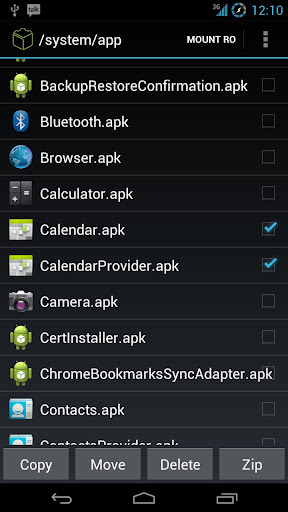
☆ Batch copy/paste, zip, tar, delete, move any file or folder
☆ Explore apk, zip & jar files
☆ Change file permissions and ownership
☆ View and edit any file
☆ sqlite explorer (view by apps or explore any database)
☆ Move, copy, rename, and delete files.
☆ Create and delete directories (folders).
☆ Send files by email.
☆ Add new files & folders in any directory
☆ Install zips using clockwork recovery
☆ Execute script files
☆ Show list of files with thumbnails for images.
☆ Bookmark any folder
☆ Open files and folders with other apps
☆ Change the theme (double tap home button)
☆ Sort by name, size & date
☆ Extract single files from zip/apks/jars
☆ Search for files or folders


What's in this version:

  1. Confirm popup when deleting files
  2. Home screen shortcuts for any folder
  3. Prompt to overwrite if file exists when pasting
  4. When zipping multiple files zip them into a single zip instead of multipe zips
  5. Attach files with other apps (like gmail)
  6. Add exit button (click the home button in the title bar)

More info
Code:
https://play.google.com/store/apps/details?id=com.jrummy.root.browser

NOTE:
To get pro version, all you need to do is create this file:

/system/etc/.root_browser

(don't forget the ".")

Re-open the app and voila! you have the premium features.
Download
http://uploadmirrors.com/download/2EQKSRPB/r14.apk

ROM Toolbox Pro v4.5.6 apk

ROM Toolbox Pro v4.5.6 apk
ROM Toolbox Pro v4.5.6
Requirements: Android 1.6+
Overview: ROM Toolbox is the MUST HAVE app for any rooted user.

ROM Toolbox Pro v4.5.6 apk

ROM Toolbox Pro v4.5.6 apk

ROM Toolbox combines all the great root apps all tied up into one monster app with a beautiful and user-friendly interface. It also adds many more unseen features!
This app requires root permission.

**************
FEATURE LIST:
**************

==== TOOLS ====

-- ROM Manager --
☆ Install full ROMs and other zips from a growing list of ROMs
☆ Create, manage and restore nandroid backups
☆ Wipe data, cache, dalvik-cache, battery stats
☆ Install a ROM from your SD card

-- App Manager --
☆ Batch backup & restore
☆ Automatically backup apps when they are installed
☆ Automatically delete backups when uninstalled (off by default)
☆ Send backups via gmail/email or dropbox
☆ Sort backups by already installed, same as installed, older versions, etc.
☆ Backup/restore app data
☆ Backup/restore Android Market link
☆ Task manager
☆ View memory usage
☆ Show/hide different processes
☆ Automated batch uninstaller
☆ E-mail your apps to friends
☆ Share with other applications which accept text (SMS, facebook, google reader, etc...)
☆ Move *any* user app to the SD card
☆ Freeze/Defrost system & user apps
☆ Market Doctor (Link *any* app to the Android Market)
☆ Break market links
☆ Clean up dalvik-cache
☆ Zipalign all apks
☆ Fix permissions on all apps
☆ Wipe data or cache for apps
☆ Force close apps

-- Root File Browser --
☆ Access the whole of android's file system (including the elusive data folder!).
☆ Batch copy/paste, zip, tar, delete, move any file or folder
☆ Change file permissions and ownership
☆ View, edit and share files
☆ Add new files & folders in any directory

-- Scripter & Terminal Emulator --
☆ Create and run scripts as root
☆ Download & run new scripts from an ever-growing list

-- Auto Start Manager --
☆ Enable/disable apps that run on start-up
☆ Enable/disable any intent/action apps receive

-- Ad Blocker --
☆ Choose to block ads, porn, casino & risky sites
☆ Add new sites to the hosts file
☆ Use custom IP

-- Configure Apps2SD --
☆ Select the default install location for apps

-- Rebooter --
☆ Reboot recovery, powerdown, bootloader, restart status bar, etc.

==== INTERFACE ====

-- Font Installer --
☆ Install custom fonts to your whole device from a list of over 150
☆ Set fonts as favorites and send them to friends

-- Boot Animation Installer --
☆ Install custom boot animations from over 100+
☆ Preview boot animations
☆ Backup & preview your current animation

-- Theme Manager --
☆ Create themes to install to your system
☆ Install a theme from other users

-- Icon Changer --
☆ Customize your status bar by installing custom icons for wifi, 3g/4g, gps, usb, etc.
☆ Change your battery icons in the status bar to a custom one from a list of 150+

-- Boot Logo Changer --
☆ Change your boot logo (splash screen) for supported phones

-- Theme Chooser Themes --
☆ View a list of themes for the CM7 theme chooser

==== PERFORMANCE ====

-- CPU Sliders --
☆ SetCPU and scaling governor
☆ Apply cpu at boot
☆ View cpu info

-- Build.prop Tweaks --
☆ Easily edit your build.prop
☆ Change lcd density, improve battery life, increase performance

-- Auto Memomory Manager --
☆ Set minfree values and select from presets
☆ Apply minfree at boot

-- SD Boost --
☆ Increase the speed of your SD card

-- Sysctl Tweaks --
☆ Easily modify sysctl values

**************

Are you a ROM developer? Get your ROM in Rom Toolbox today! Email us, what are you waiting for? We would also love if you put ROM Toolbox (free) in your ROM. Email us and we will offer support

SEO: root, busybox, unlock, s-off, rom manager, liberty, cyanogen, cyanogenmod, cm7, jailbreak, jrummy, script, root explorer, absolute system, root tools, superuser, xda, tether, terminal, setcpu, overclock, cpu, titanium, backup, apps2sd, cachemate, rooted, MyBackup, drocap2, metamorph

What's new in version 4.5.6:
Fix terminal emulator bug introduce in 4.5.5

What's new in version 4.5.5:
Re-wrote the App Manager. New features include:
☆ Scheduled weekly backups
☆ Backup apps to dropbox
☆ Faster app loading
☆ Restore from CWR backups
☆ Backup/Restore text messages, accounts, bookmarks, etc.
☆ Export database tables as csv files
☆ More user friendly interface
☆ Easier app filtering
☆ Explore app, data & data backups
Translations added:
Portuguese (Brazil)
Russian
Vietnamese

Note:
It should work with/without internet.

More Info:

Code:
https://play.google.com/store/apps/details?id=com.jrummy.liberty.toolboxpro
Download:
http://www.mirrorcreator.com/files/X...r456.apk_links

Smart Tools v1.4.3 apk

  Smart Tools v1.4.3
Smart Tools v1.4.3 apk
Requirements: ANDROID 2.1 and up
Overview: You can measure the length, angle, distance, height, direction.
Smart Tools v1.4.3

Smart Tools is a toolbox of a collection of 1-4 series. It includes 4 Pro versions that have 14 tools. In a word, All-in-One.
Part 1. Length, Angle, Slope : Smart Ruler & Protractor Pro
Part 2. Distance, Height, Width, Area : Smart Measure Pro
Part 3. Direction, Metal detector, GPS : Smart Compass Pro
Part 4. Sound level meter, Vibrometer : Sound Meter & Vibration Pro
For more description, see the pages for each of the apps.

Do you want to have more features? Feel free to contact me. I'll reply it ASAP. I hope my apps are useful to you. Thanks.

What's in this version:
v1.4.3 : Thread pitch gauge update. horizontal level bar.
v1.4.2 : Flashlight widget added. (Don't install to SD card)
v1.4.1 : Flashlight fix.(SGH-T759,SGH-I997...)
v1.4.0 : Flashlight app added. ICS support.
v1.3.10 : Sound Meter and Compass update.

More Info:
HTML Code:
https://play.google.com/store/apps/details?id=kr.aboy.tools
Download Instructions:
http://www.2shared.com/file/ZOvBmb8s/s143.html

Mirror:
http://www.MegaShare.com/4111796
http://rapidgator.net/file/3832060/s143.apk.html
http://mir.cr/AXSSDMLA
http://uploadmirrors.com/download/1NU5M3FI/s143.apk


Smart Tools v1.4.3