Labels

eXTReMe Tracker
Showing posts with label Audio and music. Show all posts

Saturday, 24 November 2012

Audio Control apk v2.0.5 download


Audio Control provides an amazing volume management experience.
Audio Control has 4 components: Profiles, Schedules, Exceptions, and Quick. Each provides a unique way to control how your phone sounds and behaves.
The purpose of Audio Control is to allow you to create and manage unique audio profiles and switch between them with ease. When a profile is applies all the sounds of the device will change to match that profile.
Features:
12 Widgets that are completely customizable
Profile widget that is resizable and can have multiple instances
Download FREE custom widget background or make and share your own from the developers website
8 Shortcuts to access any part of Audio Control or apply a profile quickly
A separate speakerphone volume for when the speakerphone is too loud or quiet
Profiles for Headsets (Bluetooth and Wired)
Locale and Tasker support for scheduling by location and more!* (Requires Local or Tasker app)
Complete Tutorial so you don’t miss out on anything
Tablet optimized
Profiles are a way to save and restore audio profiles, with one tap put your phone on Silent, Vibrate, Loud, Sleep, or whatever you can imagine.
Schedules provide a way to apply your audio profiles by day and time. For example apply a Sleep profile every night before bed. Or a work profile before you arrive to work.
Quick will apply a profile for a short pre-determined time and then apply a different profile when that time is up. Useful for those quick meetings the boss surprises you with.
Exceptions are a great way to never miss a phone call or SMS message. Add a contact to exceptions and when they contact you a profile will apply just moments before so you don’t miss them.
Widgets and Shortcuts are a great way to access any part of Audio Control from your home screen. Apply a profile with only one click! There are lots of widget and shortcut options to choose from, so don’t miss out!
What’s in this version: (Updated : Nov 18, 2012)
Android 4.2 lockscreen widget support
Russian localization added
Updated Profile widgets, active profiles now highlights
Wired and bluetooth headset fixes
Improved way to add and edit profiles (Android 4.0+)
Improved system volume detection
Required Android O/S : 2.2+
play
Code:

Sunday, 14 October 2012

Beats Audio™ Installer ★ root apk v2.3.1 Ad-Free download

Requirements: Android v2.3 and up
Overview: This app will install Beats Audio driver to your system. You will hear a big difference on high end phones but even low end devices will profit from this drivers.


DSP Manager will likely not work on many devices.

Credits belong to motioncoding and RockoDev.
Visit the XDA-thread: (MOD)Beats Audio(2.3+up)07/31/12 - xda-developers

This free app is ad supported.=> All ADs disabled by me

What's in this version:
Version 2.3.1
- removed Installation checker, causing notification bug

This app has NO advertisements

Thanks to Nihon-No-Fanboi for providing untouched APK


More Info:
Code: 

Wednesday, 4 July 2012

Volume+ Sound Boost apk v1.9.0.2 Beta download

Volume+ Sound Boost apk v1.9.0.2 Beta download
Volume+ (Sound Boost) apk v1.9.0.2 Beta download
Requirements: Android OS 2.3+
Overview: This is very similar to my Louder Volume Hack application but rendered in code rather than pushing different files across.
A Cyanogen Mod 7 or MIUI ROM is HIGHLY recommended. Running this app on a Stock ROM/Kernel may result in it not working, being far too quiet, or getting even quieter. PLEASE don't comment or rate badly if you are on a Stock ROM as this is most likely the problem.
Thanks.
Volume+ Sound Boost apk v1.9.0.2 Beta
This Application is ONLY for phones running Gingerbread.
It will NOT work on any other version of Android but should work on ANY phone running Gingerbread (2.3).

ALL SETTINGS CAN BE ALTERED SEPARATELY!
FEATURES INCLUDE:
* On/Off toggle
* Volume Boost
* EQ pre-sets
* Bass Enhancer
* Stereo Widener (only for Headset/Bluetooth Headset)
* Virtual Room Effect (VRE - Echo)
Volume+ Sound Boost apk v1.9.0.2 Beta download
ALL FEATURES AVAILABLE FOR:
* Phone Speaker
* Headset
* Bluetooth Headset

<* Please use the Headset Settings with caution. It could SERIOUSLY damage your hearing! (see terms and conditions within the app or the DISCLAIMER below) *>

This application works in a similar way to DSP Manager but with this tool you can push the volume up much higher. It has options to boost the main Speaker Volume and add a Bass Enhancer.

Please use this tool wisely. It can SERIOUSLY damage your speakers if not used carefully. I cannot stress this enough.
Volume+ Sound Boost apk v1.9.0.2 Beta download
What's in this version:
UI Overhaul
Settings completely changed
Sliders automatically adjust to show pre-sets
Volume/BassBoost/Echo now controlled exclusively by the sliders
Tick the 'Custom EQ Settings' to enable the sliders
the ability to Save/Load/Delete custom settings added
Method of altering volume modified
Check added so you can only open headset/bluetooth settings when headset is plugged in or bluetooth device is connected.

More Info:
Code: 

Tuesday, 3 July 2012

AudioManager Pro apk v3.1.8 download

AudioManager Pro v3.1.8 Requirements: Android OS 1.5 + Overview: Fully featured version of the popular AudioManager Widget and Volume manager. Featured in
AudioManager Pro apk v3.1.8 download
Requirements: Android OS 1.5 +
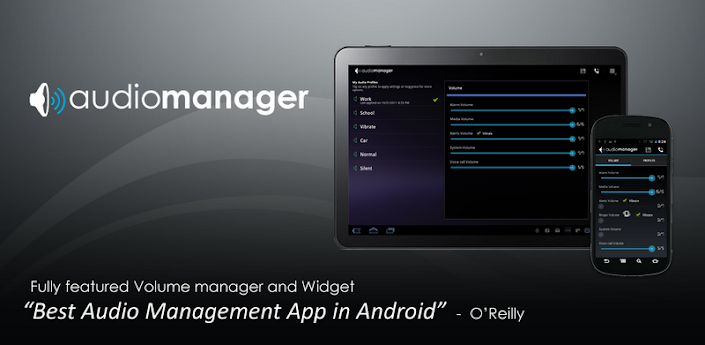
Overview: Fully featured version of the popular AudioManager Widget and Volume manager.
Featured in "Best Android Apps" Book by O'Reilly as Best Audio Management App in Android.
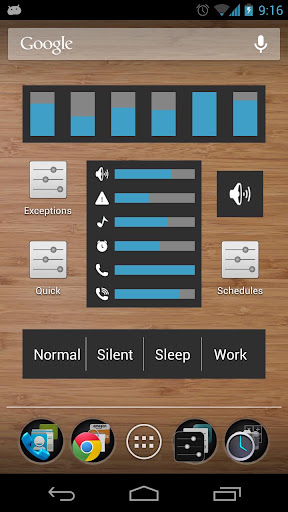
AudioManager is an application/widget that allows you to get all of your current volume levels straight from your home-screen. Tap on the widget to adjust volume levels independently.

Features: AudioManager Pro apk v3.1.8
* Over 100 widget skins available through the Android Market
* Two widget sizes available (large 4x1 and small 2x1)
* Save Audio Profiles (presets)
* Create profile shortcuts
* Built-in Scheduler to automatically apply your presets
whenever you want.
* Available in over 10 different languages.
* Create and publish your own skins with the Skin Development Kit.
* AudioManager Plug-in available for Locale and Tasker users.

What's in this version:
3.1.7
- Updates to help tutorial
3.1.6
- Fix for Android 1.6 devices
- New Guided Tour and Help page, aiming at making users more familiar with the app and how to use it properly.
AudioManager Pro apk v3.1.8 download
More Info:
Code: 

Equalizer FULL apk v3.2.2 download

Equalizer FULL apk v3.2.2 download
Requirements: Android version 2.3 +
Overview: Equalizer app and widget to control your sound effect levels on your phone. Improve your phone/tablet's sound quality with the first true Equalizer app and home-screen widget! Equalizer FULL apk v3.2.2
Equalizer lets you adjust sound effect levels so that you get the best out of your Music or Audio coming out of your phone. Apply Equalizer Presets based on Music Genre, or quickly create your own custom preset with the 5 band Equalizer controller. Additional Audio Effects supported include: Bass Booster, Virtualizer and Reverb Presets.

* Requires Android 2.3 Gingerbread. Custom ROMs may not work due to issues with the ROM. Keep in mind custom gingerbread ROMs are infant, and give the ROM developers some time to integrate in the new APIs. If your ROM works please post so that others know. If you have issues, please contact us and let us know what ROM you are using.

Features:
Equalizer FULL apk v3.2.2 download
★ 11 Stock Presets
★ Preset auto-detection (See list of supported players below)
★ 5 Band-level Equalizer Controller
★ Audio sampler to test your Equalizer settings
★ Bass Booster
★ Virtualizer
★ Reverb Presets
★ Integrates with stock Android Music player
★ Works on both wired and Bluetooth A2DP headsets
★ Works with streaming music like Pandora, Spotify, etc.
★ Power Mode options to enable/disable effects
★ Beautiful 4x1 and 2x1 Equalizer widgets for your home-screen
★ Additional widget skins available for download
★ Transparent background mode available for widgets
★ Notification shortcut available for quick access
★ Fully optimized for phones and tablets
★ No root required
Equalizer FULL v3.2.2 apk
Full features include: (Requires purchasing Unlock key)

★ Save Custom Presets
★ Delete, Edit, Rename Presets
★ Create Home-screen shortcut for Presets
★ Backup and Restore Presets from SD card

Stock presets include:
★ Normal
★ Classical
★ Dance
★ Flat
★ Folk
★ Heavy Metal
★ Hip Hop
★ Jazz
★ Pop
★ Rock
★ Latin (New)

The preset auto-detection feature does not work with all third-party music players; however, we will keep adding support to new players based on popular demand. The list of known supported Music players includes:

* Android Music Player
* Winamp
* UberMusic
* PlayerPro
* RealPlayer
* myTouch 4G Music Player
* Meridian Player
* RockOn
* doubleTwist Player
* WIMP
* MIUI Music Player
* ³ (cubed)
* PowerAMP
* Zimly
* bTunes
* Vanilla Music Player
* Rhapsody Player
* MixZing
* Just Playlists
* Archos Music Player
* More to come...

Note: Please make sure to read the "Helpful tips" when you first install the application.

Known Issues:
* CM7 - All CM7 issues have been resolved, make sure you are running CM 7.0.2 or later. Early versions may still give you issues.
* Buglessbeast - This firmware mod does not seem to have proper support for the new Equalizer APIs at this time
* Sony Xperia Arc Media Player - Sony's Media Player force closes. This is a bug in Sony's app, we tried to workaround it but cannot. We contacted the developers about the issue. Until it is resolved we recommend you use a different media player.
* Amazon MP3 - Amazon's MP3 player force closes when you play a song. Amazon has the same bug in their app as the Sony app. We contacted the developers about the issue. Until it is resolved we recommend you use a different media player.
* HTC Desire HD / HTC EVO - People have reported intermittent issues with the stock gingerbread firmware on this device. Users who have replaced their firmware with the CyanogenMod ROM no longer have issues. We have worked around the issues to make it more robust. Force closes should be gone, background service still gets killed every now and then though, but it should start back up cleanly now.
Equalizer FULL apk v3.2.2 download
Recent changes:
3.2.2
- Fixed Android 4.1 Jellybean issues
3.2.1
- Fixed issue where Equalizer would crash when using doubleTwist player
- Added new option under Settings to Enable WakeLock, this will reduce music skipping on certain devices when screen is turned off.
3.2.0
- Help page can be accessed now via Menu options.
3.1.9
- New Guided Tour and Tips page, aiming at making users more familiar with the app and how to use it properly.
3.1.8
- Available now to selected GoogleTV devices.

Note:
This version is patched, active Equalizer with its full functionality. Added functionality that is not part of the free version:
★ Save Custom Presets
★ Delete, Edit, Rename Presets
★ Create Home-screen shortcut for Presets
★ Backup and Restore Presets from SD card

More Info:
Code: 

Thursday, 28 June 2012

YouTube v4.0.8E with 720p HD playback apk WiFi + 3G download


YouTube v4.0.8E with 720p HD playback apk WiFi + 3G download
YouTube v4.0.8E with 720p HD playback WiFi + 3G
Requirements: Android 3.2+ (HC/ICS/JB)
Overview: The latest version of the official YouTube app.
Keep up with your favorite YouTube channels and access the world’s videos anywhere with the official YouTube app for Android.
I saw some threads floating around about youtube 720p playback, and I really always wanted that too for a long time.
But I was stupid enough not to even try it.
I did try now and, yep, I got it working!
YouTube v4.0.8E with 720p HD playback apk WiFi + 3G download
How I installed it:
• Removed /system/app/YouTube.apk (you need a rooted device for this step! If your device is not rooted, try ignoring this step, but installation may not possible.)
• If YouTube is still there, just go into its app info tab and tap "Remove installed updates" or something, then "Force stop".
• Install my APK!
• Of course, your device must be capable of 720p video decoding!

Thanks to theos0o
YouTube v4.0.8E with 720p HD playback apk WiFi + 3G download 
 More Info:
Code: 

Audio Control apk v1.7.4.2 download

Audio Control v1.7.4.2
Audio Control apk v1.7.4.2 download
Requirements: Android 2.2 and up
Overview: Total Sound Control
Audio Control v1.7.4.2
Audio Control provides an amazing volume management experience.
Audio Control has 4 components: Profiles, Schedules, Exceptions, and Quick. Each provides a unique way to control how your phone sounds and behaves.
The purpose of Audio Control is to allow you to create and manage unique audio profiles and switch between them with ease. When a profile is applies all the sounds of the device will change to match that profile.
**FEATURES**
Audio Control apk v1.7.4.2 download
★ Separate Notification and Ringer volumes for ICS devices
★ 12 Widgets that are completely customizable
★ 8 Shortcuts to access any part of Audio Control or apply a profile quickly
★ Profile widget that is resizable and can have multiple instances
★ Download FREE custom widget background or make and share your own from the developers website
★ A separate speakerphone volume for when the speakerphone is too loud or quiet
★ Profiles for Headsets (Bluetooth and Wired)
★ Locale and Tasker support for scheduling by location and more!* (Requires Locale or Tasker app)
★ Complete Tutorial so you don’t miss out on anything
★ Tablet optimized
★ Car Mode Profile
Audio Control apk v1.7.4.2
★ Never miss a text or phone call “Exceptions” which will auto adjust the volume
★ Adjust the device volume settings for a short period of time with “Quick” great for meetings or naps!
Profiles are a way to save and restore audio profiles, with one tap put your phone on Silent, Vibrate, Loud, Sleep, or whatever you can imagine.
Schedules provide a way to apply your audio profiles by day and time. For example apply a Sleep profile every night before bed. Or a work profile before you arrive to work.
Quick will apply a profile for a short pre-determined time and then apply a different profile when that time is up. Useful for those quick meetings the boss surprises you with.
Exceptions are a great way to never miss a phone call,SMS (Text) message, or Email (K9 Mail only). Add a contact to exceptions and when they contact you a profile will apply just moments before so you don’t miss them.
Widgets and Shortcuts are a great way to access any part of Audio Control from your home screen. Apply a profile with only one click! There are lots of widget and shortcut options to choose from, so don’t miss out!
Current Languages:
English (Thanks Me!)
Spanish (Thanks Cory)
French (Thanks ModsZilla)
Dutch (Thanks Stijn)
If you would like to translate Audio Control please send me an email!
Audio Control apk v1.7.4.2 PERMISSIONS:
READ_PHONE_STATE lets the app know when a phone call has started so the speakerphone setting can be set if needed
MODIFY_AUDIO_SETTINGS modifies the audio settings
VIBRATE lets the phone vibrate when the option is selected
WRITE_EXTERNAL_STORAGE to create a file and use optional widget backgrounds
RECEIVE_SMS used in “Exceptions” to know when a SMS message is received
READ_PHONE_STATE used in “Exceptions” to know when a phone call is received
READ_CONTACTS used in “Exceptions” to know what contact to use
BLUETOOTH is used to apply profiles when a bluetooth headset is activated and deactivated
TAGS: Audio Control v1.7.4.2 apk
volume control volumes sound sounds system ringer notification media in-call incall in call alarm speakerphone speaker phone vibrate normal loud quiet silent schedule schedules profile profiles Monday Tuesday Wednesday Thursday Friday Saturday Sunday widget widgets notification notifications customization audio manager audiomanager volumecontrol volume control plus pro music ace tasker locale twofortyfouram plugin plug-in support battery contact location orientation power source time wifi connection headset headphones ear piece tablet honeycomb Ice cream sandwich android 4.0 k9 mail email longest day apps
What’s in this version:
*Free widget background packs can be found at (www.mobiletrialware.com/downloads)
1.7.4.2 Custom Ringer bug fix
1.7.4.1 Exceptions bug fix, Car Mode fix
1.7.4 Added separate ringer and notification volumes on ICS devices! Added Car Mode, Widget fixes all widgets now re-sizable, removed K9 support (Will not work as planned), bug fixes, performance improvements, added share button, main screen updates in real time, many ICS fixes, lots more!
Free Audio Control v1.7.4.2 apk

Tuesday, 26 June 2012

Wave Control Pro apk v2.0.1 download

Wave Control Pro apk v2.0.1 download
Wave Control Pro apk v2.0.1
Requirements: Android 2.2 and up
Overview: Control Your Music With a Wave of Your Hand!
Wave Control Pro apk v2.0.1 download Wave Control Pro apk v2.0.1 download Wave Control Pro apk v2.0.1 download
Wave Control Pro apk v2.0.1 download
Uses the proximity sensor on your phone to allow control of your music playback by waving your hand over your phone. No need to turn on your screen or even touch your phone at all!
As seen on:
*Lifehacker* Wave Control for Android Controls Media Playback by Watching You Wave Your Hand Over the Screen
*Huffington Post* Wave Control For Android Is A Touchless Music Controller For Your Smartphone
*Pro Version*
-No Ads
-More Commands
-Assign Which Gesture Does Which Command
Coming Soon:
More Features - feel free to email any requests you have
Update the UI

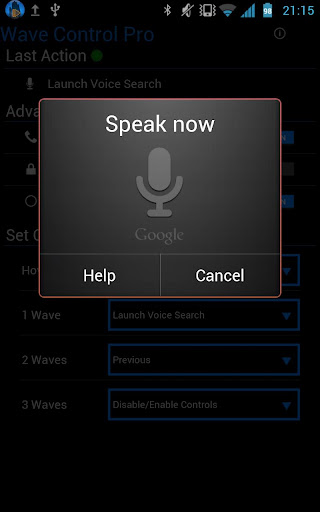
Easy to use, just wave your hand over the sensor (usually located just next to the earpiece on your phone).
Holding it there will Pause/Resume
One wave across will go to the Next Song
Two waves across will go to the Previous Song
Three times (needs to be fast) will Pause or Resume the controls
*Be sure to enable Headset Button Control in your player of choice
Some Notes Wave Control Pro apk v2.0.1
There is a little less than a second to register your waves.
Tip for the hover gesture: if you move your hand away too quickly it'll register a wave
After an action, there is a 1 second delay before another gesture will be registered
Will work with any player that accepts headset (media button) controls
If the screen is off or another app is in focus, phone vibrates once on pause control and twice on resume controls
Practice your wave techniques by checking the "Last Action"
If you're getting another player responding to the commands, check if that app has the option to disable headset button controls
**IMPORTANT**
I have read that the sensor will behave differently on different phones. I don't have the resources to have a bunch of phones around to test on. If there is a problem with the app, please email me at marksthinktank@gmail.com and give me a chance to figure it out before leaving a bad review!
And… there is a chance this app may not be compatible with your phone.. sorry. I'll do my best to keep the compatibility list up to date so future users won't run into issues.
Wave Control Pro apk v2.0.1 download
Permissions Needed:
Wake Lock: So it will work when the screen is off
Read Phone State: So it won't do anything when you're on a call
Vibrate To use when screen if off or app not in focus

What's in this version:
Wave Control Pro v2.0.1 apk
V2.01: Fixed bug causing crash on start for V2.0
V2.0: New Layout! Launch to Background Option, Sensor Test, Voice Search fix for ICS, Removed "Get Tasks" permission.. I *think* it won't crash on Nexus phones..

More Info:
Code: 

Monday, 25 June 2012

Audio Control apk v1.7.4 download

Audio Control apk v1.7.4 download
Audio Control v1.7.4 apk
Requirements: Android 2.2 and up
Overview: Total Sound Control
Audio Control apk v1.7.4 download
Audio Control Pro is a powerful volume control app. Create unlimited sound profiles and switch between them with ease.
Audio Control apk v1.7.4 download
Audio Control Pro gives users the ability to schedule audio profiles by day and time. An Audio Profile Widget is also available for Pro users.

**Audio Control Pro Features**
-Custom sound profiles
-Schedule sound profiles by day and time
-5 Widgets, choose any color
-Profile widget can have multiple instances/re-sizable
-Control the speakerphone volume
-Lots of options for customization
-Locale support for scheduling by location and more!*

Audio Control apk v1.7.4 What's in this version:
*Free widget background packs can be found at (Downloads | Mobile Trialware)
1.7.4 Added separate ringer and notification volumes on ICS devices! Added car dock (not tested yet I need a car dock first) Widget fixes all widgets now re-sizable, removed K9 support (Will not work as planned), bug fixes, performance improvements, added share button, main screen updates in real time, many ICS fixes, lots more!
Audio Control apk v1.7.4 download
More Info:
Code: 

Saturday, 23 June 2012

Picus Audio Player Pro apk v1.1156 download


Picus Audio Player Pro v1.1156 download
Requirements: Android 2.1 and up
Overview: Picus Audio Player is a versatile music player for Android devices, bundled with rich features for managing music on Android 2.1 and above) devices.

 Picus Audio Player Pro v1.1156 download
Picus Audio Player is a versatile music player for Android devices, bundled with rich features for managing music on Android (2.1 and above) devices.
Supported Audio Formats :
MP3, MP4, M4A, 3GP, WAV, APE, FLAC, and OGG.
Audio Effects Picus Audio Player Pro v1.1156
All audio effects are supported on all Android (2.1 and above) devices.
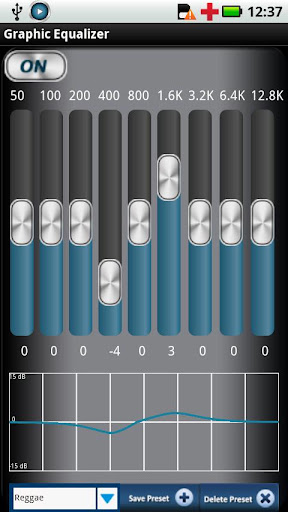
9 band graphic equalizer with default preset (Jazz, Rock, Classic, and Pop) and Custom preset (Save, Remove), with a true spectral response.
Advanced bass boost and treble with true spectral response
Reverberation effects to simulate different environments such as auditorium, lecture hall, concert hall, dance hall, class room environments
Stereo widening or Spatializer
Picus Audio Player Pro v1.1156 download
Cross fading for 3 seconds for smooth transition to next track.
Gapless playback with silence trimmer (Rear and Front) for uninterrupted playback
Real time Spectrum Analyzer with bands spaced at 1 / 2.4 octaves .
Audio Bookmark – Picus Audio Player allows unlimited audio bookmarks per music track along with viewing and removing bookmarks as per their bookmark time.
Default Playlists – Multilevel playlists sorted by Artist, by Album and by Genre of music tracks. Playlists can be sorted as in A-Z and Z-A order. Also Recently Added and Recently Played playlists for quick access to latest music files.
Custom Favorite lists – Unlimited custom playlists by adding and removing music tracks to a favorite list. With a single click, allows adding to your favorites list your currently active track.
Import playlist from default music player
Media scanner – Picus Audio Player provides its own media scanner to update track list for newly added or removed tracks.
Picus Audio Player Pro v1.1156
Playback Modes – Shuffle, Repeat One, Repeat playlist, Normal
Resume – Picus player stores information for last track played and resumes from same position where playback was stopped.
Seeking – Picus Player supports seeking at various seek speed like 2x, 4x, 6x and 8x.
Track Information – Picus Player provides advanced track details like duration, codec, bit rate, sample rate, channels, etc…
Swipe gestures – User can change track using Swipe left or right on album art.
Bluetooth Headset controllable and headset support
What's in this version:
Version#7, 1.1155, 22-JUNE-2012
New Feature Picus Audio Player Pro v1.1156 download
-Continue playback across folder, album, genre and artist playgroup, configurable option from preference/setting.
-New EQ presets
-New WAV formats
Enhanced Features
-Selectable album art downloaded from internet.
-Improved quality of album art.
-Bluetooth support for track traversing.
-Improved Lock screen widget.
-Improved Track Details menu.
More Info:
Code: 
download

MegaAudio Pro apk v3.3 download


MegaAudio Pro v3.3
MegaAudio Pro v3.3 apk
Requirements: Android 2.1+
Overview: Test your subwoofers (subs), headphones and home sound system and entertain friends with soundboards, drum kit, loops, morse code, sirens and more.
MegaAudio Pro v3.3
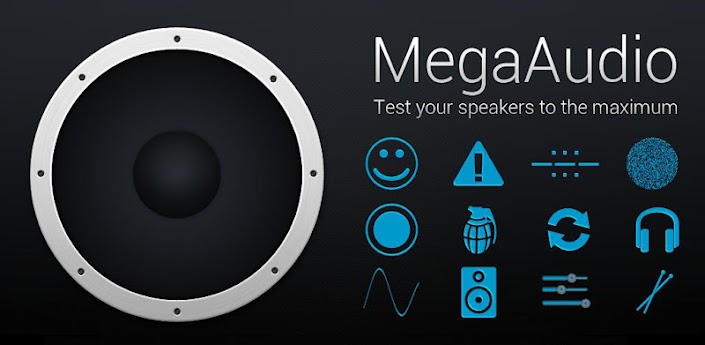
MegaAudio is currently the best android app to test you speakers across a wide range of tests.
Test your subwoofers (subs), headphones and home sound system and entertain friends with soundboards, drum kit, loops, morse code, sirens and more.
MegaAudio is currently the best android app to test you speakers across a wide range of tests.
MegaAudio Pro apk v3.3 download
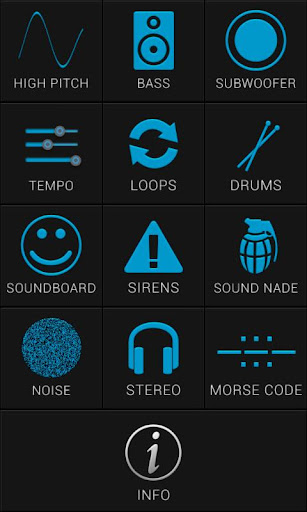
What sections do:
•High Pitch: Offers sine, square and saw waveforms of frequencies between 9kHz and 20kHz.
•Bass: Offers sine, square and saw waveforms of frequencies between 10Hz and 120Hz (Great for testing subwoofers capability).
MegaAudio Pro apk v3.3 download
•Subwoofer: HQ audio tracks that test your subwoofers.
•Tempo: Gives ability to select a track and change the tempo.
•Loops: 12 Tracks at the same beats per minute gives ability to create tracks.
•Drums: HD drum kit.
•Soundboard: 15 fun sounds to fool around with.
•Sirens: 6 different sirens to prank your friends.
•Sound Nade: Gives off high pitch noise when clicked (may not be heard by older people).
•Noise: Test speakers with 3 types of noise.
•Stereo: Test speaker and headphones stereo potential.
•Morse Code: Simple morse code resource includes alphabet.
Currently supports mdpi, hdpi and xhdpi, not recommended for use on ldpi screens.
Free MegaAudio Pro v3.3 apk

Sunday, 20 May 2012

Hi-Q MP3 Recorder Full v1.7.5 apk

Hi-Q MP3 Recorder Full v1.7.5 apk
ImageHi-Q MP3 Recorder Full v1.7.5 apk

Record audio in high quality directly into MP3 files! Voice dictation, songs, sermons, music, talks, and concerts can be recorded in high-fidelity 44 kHz sampling, much better than the default sound recorder application.

You can send recordings by email and Bluetooth (depending on phone model) or by copying files directly from the phone via USB cables or from the SD Card.

Features:

* Real-time MP3 recording, no more waiting
* Pause and resume recordings
* Changeable bit rate from 32 to 128 kbps
* Seletable microphone for input (front or back/rear)
* Alternate recording icon to prevent unwanted attention
* Stops automatically when disk free space reaches a customizable limit
* Input gain setting to make recording louder or softer

Please note that not every device supports high-quality sound recordings. You are strongly encouraged to try the Lite version first to ensure that this app meets your needs. Some devices are forced to record in 22 kHz if it's not possible to record in 44 kHz.

What's in this version : (Updated : May 19, 2012)

* PAUSE BUTTON. Thanks to all who requested this and waited!
* Holo theme on Ice Cream Sandwich
* Sharper and cleaner icons for all display resolutions
* License check. Please start this app after installing/upgrading to verify.
* Clearer message when recording stops unexpectedly
* Previous updates:
* Option to change recording source
* Playback in the background
* Recording size shown in recording list
* Choose where to store the recordings

Required Android O/S : 2.1+
Code: Select all
https://play.google.com/store/apps/details?id=yuku.mp3recorder.full

Saturday, 19 May 2012

RemoteStick v2.3.0 apk


RemoteStick v2.3.0 apk
RemoteStick v2.3.0
Requirements: Android 2.1+
Overview: RemoteStick lets you remotely control lights and other electronics as well as monitor sensors from your phone.
RemoteStick lets you remotely control lights and other electronics as well as monitor sensors from your phone.

Requires a Telldus Tellstick with Telldus Live! activated. Please read more about Telldus and the different Tellsticks at http://telldus.com. Obviously, you will also need additional hardware to control and/or monitor. Please see Telldus site for compatible devices, http://telldus.com/products/compability.

A Tellstick is used to communicate with wireless consumer electronics on the band 433MHz (European standard). When activating a Telldus Live! account the Tellstick is getting accessible by RemoteStick through Internet.

Please, do NOT ask questions in the review section as I'm unable to answer them from there. Send an e-mail to hello@remotestick.org.

Includes Locale plug-in for support with Locale and Tasker. This functionality is still in beta, please report problems to hello@remotestick.org.

Supports RFID / NFC tags - Control your devices by simply holding your phone in front of a NFC tag! Read more: http://remotestick.org/news/2012/03/28/nfc-support.html

Influence future development by voting on features - https://trello.com/b/N2YODiHB

More Info:
Code: Select all
https://play.google.com/store/apps/details?id=org.remotestick

Wednesday, 16 May 2012

AudioManager Pro v3.1.6 apk

AudioManager Pro v3.1.6 apk
AudioManager Pro apk v3.1.6
ImageAudioManager Pro v3.1.6 apkAudioManager Pro v3.1.6 apkAudioManager Pro v3.1.6 apkImageImage


Fully featured version of the popular AudioManager Widget and Volume manager.
Featured in "Best Android Apps" Book by O'Reilly as Best Audio Management App in Android.

AudioManager is an application/widget that allows you to get all of your current volume levels straight from your home-screen. Tap on the widget to adjust volume levels independently. Save your audio settings as presets and use the built-in scheduler to automatically apply them for you.

Features:

* Over 100 widget skins available through the Android Market
* Two widget sizes available (large 4x1 and small 2x1)
* Save Audio Profiles (presets)
* Rename, Edit or Delete Profiles (presets)
* Create profile shortcuts
* Built-in Scheduler to automatically apply your presets whenever you want.
* Restore ringer mode feature.
* Fully optimized for Android tablets.
* Available in over 10 different languages.
* Create and publish your own skins with the Skin Development Kit.
* AudioManager Plug-in available for Locale and Tasker users.
* Auto Backup and Restore so you do not lose your settings and profiles (this is not supported on all devices)
* Manual Backup and Restore of your profiles also available

What's in this version : (Updated : May 16, 2012)

* New Guided Tour and Help page, aiming at making users more familiar with the app and how to use it properly.

Required Android O/S : 2.1+
Code: Select all
https://play.google.com/store/apps/details?id=com.smartandroidapps.audiowidgetpro

Tuesday, 15 May 2012

3DSteroid Pro v2.34 apk


3DSteroid Pro v2.34 apk
3DSteroid Pro v2.34
Requirements: Android 2.1+
Overview: [3DSteroid Pro] is a stereoscopic application for Android.
[3DSteroid Pro] is a stereoscopic application for Android.
- Auto-Alignment of L/R images (Pro version only)
- Higt resolution image saving (Pro version only)
- Input file : L/R independent,SBS,MPO
- Over 1000 images WEB Gallery access
- Display method : 3D LCD(LG/HTC/Sharp/GADMEI),SBS,Mirror,Wiggle,2D,Anaglyph
- Save displayed image and send the saved file by email.
- Slide Show
- Take L/R pictures with the internal camera.
- Adjust L/R image positions and rotation error.
- etc

More Info:
Code: Select all
https://play.google.com/store/apps/details?id=jp.suto.stereoroidpro

Spirit FM Unlocked vMay5 apk


Spirit FM Unlocked vMay5 apk
Spirit FM Unlocked vMay5
Requirements: Android 2.1+
Overview: Spirit FM Unlocked is a real, tuned, "over the air" FM radio app with RDS (song info etc.) and other advanced features. It is NOT a streaming app that requires expensive data service.
April 13 Spirit FM Free for compatibility testing: http://www.mediafire.com/?g4d0at7b3nc3p1z (Enable System Settings -> Applications -> Unknown Sources. On ICS System Settings -> Security -> Unknown Sources)
Compatibility list: http://forum.xda-developers.com/showpos ... ostcount=2
Feature lists below. Video demo by xmguy: http://www.youtube.com/watch?v=TMb21nSXbHA (Thanks !)
Satisfaction absolutely guaranteed or full refund. Don't worry about the 15 minute return race. :)
Please email mikereidis@gmail.com for ANY problems or questions.
Spirit was initially targetted at custom ROMs such as CyanogenMod, on which FM app availability is limited.
If you don't know what a "ROM" is, then your phone is likely "Stock" and un-rooted.
Support for stock, un-rooted devices is now present, but limited, and various bugs are being worked on.
If your stock phone has a working, stock FM app you are happy with, then Spirit may be of little use to you at present.
If your stock phone does not have a working, stock FM app, then FM is likely impossible, except Bionic, Droid 2 & 3, Defy.
Some phones will never work and nobody can make them work because the hardware is disabled. This includes Atrix, Nexus S, US Galaxy S2's, Galaxy Tab, Droid (1)/Milestone, P999 G2x, Galaxy Spica.
I understand the prices may seem high, but this is a niche app. Price experiments say higher prices will keep this app alive & improving.
How many other "Real FM" apps are on the Market ? Two: 1 for Galaxy S only and one repackaged Motorola app.
Why ? It's extremely difficult. Google does not support FM apps. They and the carriers seem to dislike free "Over The Air" FM.
Light & Unlocked include:
- Lifetime technical support for as many devices as you own & questions you have.
- Stereo, Mono & alternative settings.
- Mute & Speaker support.
- 6 nameable presets.
- Status Bar & Notification window.
- Sleep function, Test functions, Email Logs, UI settings & RSSI graphic.
- And many more Light & Unlocked exclusive features to come !
Unlocked adds:
- Enhanced technical support and attention to feature requests.
- RDS song info etc: RT, PS, PTY, PI & AF (RadioText, Program Service, Type, ID & Alternate Frequency).
- Unlimited Preset lists & nameable presets.
- Landscape mode, forced or automatic.
- Media button & CM lockscreen support for mute, volume & frequency.
- All UI settings, including antenna & station ID.
- And many more Unlocked exclusive features to come !
This is not a throwaway game app you play for a few days. How many hours will you spend listening to FM in the next 20+ years ?
How much can you save on data plans by listening to free, over the air radio versus streaming ?
Re: CNet article "We're not paying enough for apps": http://forum.xda-developers.com/showpos ... count=2523
Spirit is not a one time purchase. It's ongoing technical assistance, fixes, new device support & features.
I'm one developer and Spirit is my only app and income. I'm trying to do a job Google said they couldn't for lack of developer resources. :)
Your support will help keep Spirit FM alive and improving.
For further information, please see my app thread: http://forum.xda-developers.com/showthr ... p=13385163
Thanks !
Mike.

What's in this version:
Galaxy S ICS/ALSA def = old/danger
Gal S2/Note stock.
Gal S2/Note lo lvl speaker: partly unplug
Moto lo lvl static fix for Droid 2/X...
UI+ including Japan band.
DHD ICS Qdsp5v2 Plus/ICS
Notification handling. Can disable w/ Debug->"Power Aud Foc Off" and "Unmute Aud Foc Off".
Unlocked: Next Preset: User Interface->Media Button*
Galaxy S old/danger = old w/ risk
DHD ICS Primo-S Aud Meth "HTC"
GalaxyS CM9: Debug->GalS Nrmlz
LG O3D/Thrill P920/P925: Aud Meth "LG TI"
LG O2X/P970: Audio Meth "LG4"

More Info:
Code: Select all
https://play.google.com/store/apps/details?id=com.mikersmicros.fm_unlock

Download Instructions:
http://www.MegaShare.com/4178218

Friday, 11 May 2012

n7player Music Player FULL v1.2.0 apk

n7player Music Player FULL v1.2.0 apk
n7player Music Player FULL v1.2.0
Requirements: Android 2.2+
Overview: Rich Music Experience!
n7player Music Player is the best way to play your music on Android.

http://www.lifehacker.com review:
"n7player makes browsing your own library and finding music to listen to fun again."

n7player is an innovative 3D mp3 and music player available only on Android. It visualizes your music as a single plane full of album covers. You can zoom in and out using multi-touch to see different views of your music. The main application screen is like an interactive tag cloud which can be easily explored to find your mp3 files. Artist names transforms smoothly to album covers, when pinched-to-zoomed. The minimalistic design and smooth interface allows users to quickly pick their favorite music from their library.
n7player has also the most advanced cover art downloading function available on the market. It can download the missing album arts both by its own and by easy to use dedicated screen, where the user can search and pick an album art from the internet.

Android 2.3+ is required to use Equalizer & other sound effects.

Key features:
- Unique user interface, based on OpenGL, consisting of innovative, fully multi-touchable album covers wall
- Supported audio formats: mp3, mp4, m4a, ogg, wav, 3gp, mid, xmf, ogg, mkv(4.0+), flac (3.1+), aac (3.1+)
- 5 band graphic equalizer with presets – requires Android 2.3+
- Environmental effects, bass boost and sound virtualization technology (SRS/Dolby Surround) (2.3+)
- Automatic and manual album art and artist image downloader
- Tags editor for all supported audio formats
- File browser (SD card) with filters
- 1x4, 2x4 widgets
- Lockscreen widget with direct unlock
- Headset support with many options
- Sleep timer
- Shuffle/repeat
- Lyrics support, using the embedded track lyrics & musicXmatch plugin
- Last.fm scrobbling
- Support for m3u playlists

What's in this version:
Shuffle/repeat state should save as intended
Album arts on main screen should be displayed correctly
Headset long click should work when screen is locked
Add to queue as default should work as intended
Stability & freeze improvements
Please visit our website for more current news!

Note:
KEY supplied by chathu_ac

More Info:
Code:
https://play.google.com/store/apps/details?id=com.n7mobile.nplayer
Download Instructions:
APK + KEY
http://www.MegaShare.com/4200082

Mirror:
http://rapidgator.net/file/13631085/n120.zip.html

Thursday, 10 May 2012

Remote for iTunes v2.0.29 apk

Remote for iTunes v2.0.29 apk
Remote for iTunes v2.0.29
Requirements: Android 2.1+
Overview: The top rated, full-featured and reliable iTunes remote. No computer download required.
Control iTunes via Wi-Fi. Choose your favorite artists, genres, albums and playlists as if you're at your PC or Mac. Play music on your computer and AirPlay speakers, and adjust volume with total control. Rate tunes, add to DJ and more.

• Browse by Artist, Genre, Album, Playlists
• Adjust volume using phone controls
• Select AirPort Express and AppleTV speakers
• Adjust individual AirPlay volumes
• Shuffle, repeat, repeat all
• Rate tracks and view ratings
• Add tracks to DJ
• Search your iTunes library
• Connect to multiple iTunes
• Stay-connected/Wi-Fi auto-reconnect
• Landscape mode
• Home screen widget
• Pro quality, easy to use
• Google TV support

Try our free trial version. 24 hour no-stress return policy. Google order number required with request.

Requires iTunes 10 or above for Mac or Windows. Works on tablet and phones through Android 4.0

Hyperfine Remote for iTunes works with Bubblesoft AirBubble for streaming audio to your device. It's a great companion to AirSync, TuneSync, iSyncr, DoubleTwist and other sync apps, as well as WinAmp, Slacker, Soundhound and other MP3 player, internet radio and recognition or lyrics apps.

For users already remoting a PC, Hyperfine Remote for iTunes is tested to work alongside TeamViewer, PocketCloud, Gmote, Unified and other RDP, media and desktop remotes.

Buy the best, most reliable and compatible iTunes remote available for Android today, and start enjoying music all over again.

iTunes, AirPort, AirPlay and AppleTV are trademarks of Apple Inc. Other trademarks are the property of their respective owners.

What's in this version:
• Added Start Genius from current track - long-press album cover in player.

More Info:
Code:
https://play.google.com/store/apps/details?id=hyperfine.hftunes.release
Download Instructions:
http://www.MegaShare.com/4198033

AudioTool v5.2.1 apk

AudioTool v5.2.1 apk
AudioTool apk v5.2.1
Requirements: Android 1.6+
Overview: Android SPL, deciBel and RT60 Meter, Spectrum Analyzer, Signal Generator and Polarity Checker Audio Tool
Recommended by "Sound and Vision" magazine.
Android SPL, deciBel and RT60 Meter, Spectrum Analyzer, Signal Generator and Polarity Checker Audio Tool

Recommended by "Sound and Vision" magazine.

Features 1/1, 1/3 & 1/6 octave RTA modes, RT60 (wideband, Octave), spectrogram, peak frequency, Fast, Medium & Slow filters, Flat & A/C Weighting, Averaging, SPL Chart Recorder, Noise Criteria, White/Pink Noise, Sine, Square, Triangle, Sweep, Ramp and Impulse signals & loudspeaker polarity checker. Frequency spectrum store & load, von Hann windowing, "Keep Screen On".

Now with ISO Octave Calibration feature - correct for your phone's microphone response! Move the calibration discs up or down so as to obtain a flat response, and match the overall SPL to that of an external meter.

Use: home theater, audio engineer, car audio, etc

Online manual at: https://sites.google.com/site/bofinit/audiotool

Please join the AudioTool Discussion Group to request features or report problems:

http://groups.google.com/group/audio...scussion-group

AudioTools's Spectrum Analyzer component uses FFT on batches of samples recorded at the microphone. Hann windowing reduces aliasing. Recorded spectra may be stored as files on the SD card, and then loaded later and displayed together with the live spectrum.

(The "Store" button will store the current live spectrum with a filename of your choice. The "Load" button brings up a list of stored spectra. One of these can be chosen, or the "Cancel" item selected to return to the main display, or the "Clear" item selected to remove the currently loaded spectrum.)

Data collection can be paused and restarted.

To hide the buttons, tap the screen. To restore them, tap again.

The deciBel meter component uses IIR filters and exponential averaging to calculate Flat, A and C weighted response at speeds of Fast, Medium and Slow.

A pair of cursors can be shown on the RTA and Chart Recorder displays: each can be moved to any position, and will display the SPL & time/frequency values measured there. Initially, both cursors are positioned mid-screen - simply drag them to a new position with the fingertip. The cursors can be turned on and off in the Menu.

The loudspeaker polarity checker can be used to check whether a loudspeaker is wired in phase: connect the AudioTool output to the speaker under test, select "Polarity" from the signal generator screen, then return to the RTA screen. If the speaker is out of phase (polarity reversed) AudioTool will show "Pol ---", otherwise "Pol +++" if the speaker is in phase.

The Noise Criteria (available from the Menu) function shows a set of NC contours overlaid on the 1/1 Octave RTA display and the calculated real time current NC value is also shown.

The Chart Recorder shows a moving trace of the SPL measurements over the last few minutes.

RT60 measurements can be made by starting the RT60 component and using a loud clap (or similar) to trigger the measurement. RT60 times measure how much reverberation or echo there is in a room or auditorium.

The Signal Generator generates White and Pink Noise, Sine, Square, Triangle and Ramp waves, and Impulses. The generator uses multiple cycled buffers that are refreshed randomly so ensuring truly random White/Pink noise. The Pink Noise algorithm uses Kemmet's method to adjust White Noise into Pink.

Frequency is set via the arrow buttons or via the keyboard.

The Impulse signal is a delta issued approximately once per second. Impulses can be used to measure the frequency response of audio systems: they have a flat frequency distribution.

The accuracy in frequency of the generated periodic signals is quite good: on the Motorola Droid, errors were of the order of 1% throughout most of the range. Sine wave fidelity is good throughout most of the audio range. Other signals' leading and trailing edges show ringing and decreasing frequency response artefacts in the upper ranges.

Please send email, or post on the Discussion Group if you need help or have questions or problems.

More Info:
Code:
https://play.google.com/store/apps/details?id=com.julian.apps.AudioTool
Download Instructions:
http://www.MegaShare.com/4199505

Mirror:
http://www.filehost.ws/3s8odun04pb8

Wednesday, 9 May 2012

Audio Control apk v1.6.9

Audio Control apk v1.6.9
Audio Control v1.6.9 apk
Requirements: Android 2.2+
Overview: The purpose of Audio Control is to allow you to create and manage unique audio profiles and switch between them with ease. When a profile is applies all the sounds of the device will change to match that profile.
Total Sound Control

Audio Control provides an amazing volume management experience.

Audio Control has 4 components: Profiles, Schedules, Exceptions, and Quick. Each provides a unique way to control how your phone sounds and behaves.

The purpose of Audio Control is to allow you to create and manage unique audio profiles and switch between them with ease. When a profile is applies all the sounds of the device will change to match that profile.

**FEATURES**


12 Widgets that are completely customizable

Profile widget that is resizable and can have multiple instances

Download FREE custom widget background or make and share your own from the developers website

8 Shortcuts to access any part of Audio Control or apply a profile quickly

A separate speakerphone volume for when the speakerphone is too loud or quiet

Profiles for Headsets (Bluetooth and Wired)

Locale and Tasker support for scheduling by location and more!* (Requires Local or Tasker app)

Complete Tutorial so you don’t miss out on anything

Tablet optimized

Profiles are a way to save and restore audio profiles, with one tap put your phone on Silent, Vibrate, Loud, Sleep, or whatever you can imagine.

Schedules provide a way to apply your audio profiles by day and time. For example apply a Sleep profile every night before bed. Or a work profile before you arrive to work.

Quick will apply a profile for a short pre-determined time and then apply a different profile when that time is up. Useful for those quick meetings the boss surprises you with.

Exceptions are a great way to never miss a phone call or SMS message. Add a contact to exceptions and when they contact you a profile will apply just moments before so you don’t miss them.

Widgets and Shortcuts are a great way to access any part of Audio Control from your home screen. Apply a profile with only one click! There are lots of widget and shortcut options to choose from, so don’t miss out!

Free widget background packs can be found by visiting:
http://www.mobiletrialware.com/portfolio/
http://forum.xda-developers.com/show....php?t=1451416

Current Languages:
English
Spanish (Thanks Cory)
French (Thanks ModsZilla)
Dutch (Thanks Stijn)

If you would like to translate Audio Control please send me an email!

PERMISSIONS:

READ_PHONE_STATE lets the app know when a phone call has started so the speakerphone setting can be set if needed
MODIFY_AUDIO_SETTINGS modifies the audio settings
VIBRATE lets the phone vibrate when the option is selected
WRITE_EXTERNAL_STORAGE to create a file and use optional widget backgrounds
RECEIVE_SMS used in "Exceptions" to know when a SMS message is received
READ_PHONE_STATE used in "Exceptions" to know when a phone call is received
READ_CONTACTS used in "Exceptions" to know what contact to use
BLUETOOTH is used to apply profiles when a bluetooth headset is activated and deactivated

More Info:
Code:
https://play.google.com/store/apps/details?id=com.matthew.rice.volume.master
Download Instructions:
http://www.MegaShare.com/4195591

Mirror:
http://www.filehost.ws/7e366e7ed1zl