Labels

eXTReMe Tracker
Showing posts with label Email and chatting. Show all posts

Wednesday, 10 October 2012

SMS Backup and Restore Pro apk v5.92 download

SMS Backup and Restore Pro v5.92
SMS Backup and Restore Pro v5.92 apk
Requirements: for all Android versions, supports App2SD
Overview: A simple App to Backup and Restore SMS Messages. This is a Paid No-Ads version of the Ad-Supported Free App.
SMS Backup and Restore Pro v5.92
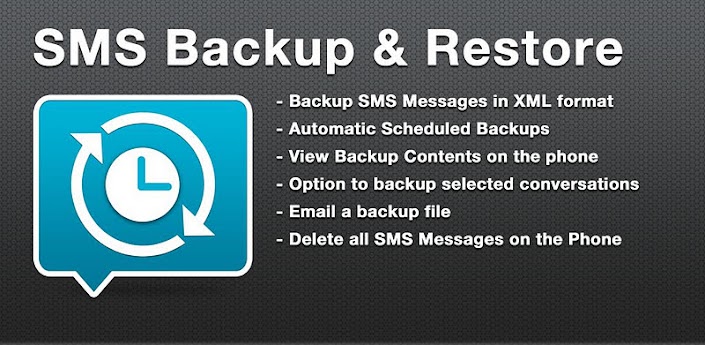
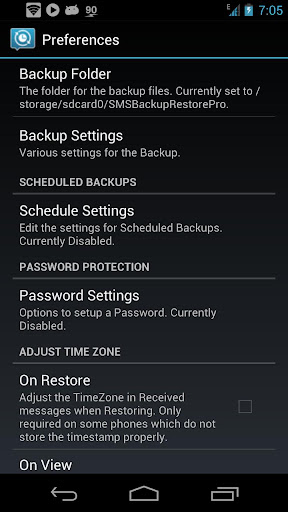
* Automatic Scheduled Backups.
* View Backup Contents.
* Backups created in XML Format on the SD Card.
* Option to backup selected conversations only.
* MMS not supported yet.
* FAQs at http://bit.ly/d9t7Jk
NOTE: There is a known problem with some firmware versions of the Droid X and Droid 2 phones that the restored messages do not get the correct time stamps.
This App needs the following permissions to work:
* Storage – modify/delete SD card contents (android.permission.WRITE_EXTERNAL_STORAGE): To create the xml file on the SD card.
* Your messages – edit SMS or MMS, read SMS or MMS (android.permission.READ_SMS, android.permission.WRITE_SMS): Needed to read SMS during backups and write them during restore.
* Your personal information – read contact data (android.permission.READ_CONTACTS): To display and store the contact names in the backup file.
* System tools – prevent phone from sleeping (android.permission.WAKE_LOCK): To prevent the phone from going to sleep/suspended state while a backup or restore operation is in progress.
* Hardware controls – control vibrator (android.permission.VIBRATE): To vibrate the phone when the backup or restore operation is completed.
Translations:
- Finnish – Thanks to Juhana H.
- Russian – Thanks to Pavel (Павел Миронов)
- Spanish – Thanks to Miguel A. Alvarez
- French – Thanks to Julien Benoist
What’s in this version:
v5.92:
- Slovak Translation thanks to Richard Antal
- Bug Fixes
This app has NO advertisements
Free SMS Backup and Restore Pro v5.92 apk

Tuesday, 9 October 2012

Gmail Widgets apk v5.03 download

Gmail Widgets v5.03
Gmail Widgets v5.03 apk
Requirements: 2.3.3 and up
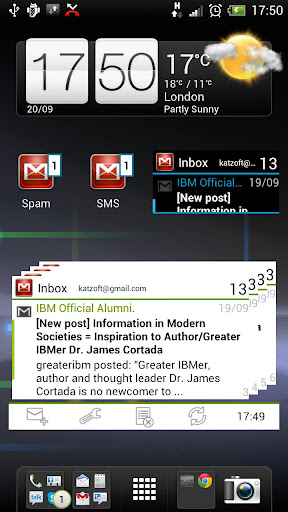
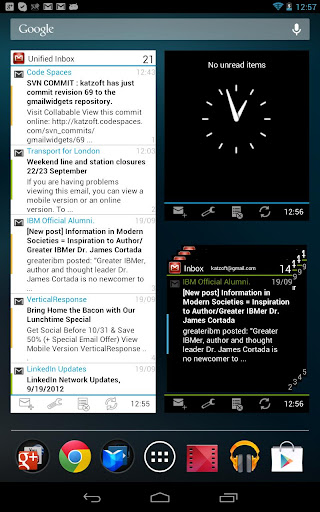
Overview: Gmail Widgets is the best collection of beautiful homescreen widgets in a variety of sizes that show the number of unread emails and message previews.
Gmail Widgets v5.03
Until Android 3.0, the Gmail app does not come with any widgets. This app fills that gap.
The Gmail widget in 3.0 and later versions is unreliable and not customisable.
Unlike some of the other Gmail widgets on Google Play, this app works with the latest version of the Gmail app and is compatible with 2.3 (Gingerbread) and later. It also includes some exclusive widgets for 3.0 (Honeycomb), 4.0 (Ice Cream Sandwich) and 4.1 (Jelly Bean).
Review of an older version on TalkAndroid. http://www.talkandroid.com/100486-get-a … ore-100486
Features
- Supports push email – updates automatically when new mail arrives (it may not update immediately while you read mails)
- Previews – shows the first lines of the message in addition to sender and subject (depending on size)
- Supports different labels (e.g. Priority Inbox, Starred, and custom labels) from several accounts, even on the same widget (unified inbox)
- Open Gmail or compose a new message quickly from the widget
- Customisable appearance through themes and icons
- Many different sizes to choose from, including scrollable, resizable stack and list widgets for newer Android versions
Please note
- When you perform actions on your new mail, these may not be reflected immediately, even if you refresh manually. The purpose of these widgets is to notify you of new messages as soon as they arrive.
- It may take up to 30 seconds for the widget to refresh the first time and after a reboot. During this time it may not look like anything is happening!
What’s in this version:
Sometimes it is necessary to remove and re-add the widgets after an update!
5.03: Added Bugsense for better bug reporting and consequently fixing!
5.02: Increased default size when adding widgets (can still be resized down or up)
5.0: Designed for ICS: improved configuration, redesigned widgets according to the guidelines (Holo theme), made widgets more flexible (literally), many small improvements
4.2: Added option to show missed calls, updated stack widget, bugfixes
This app has no advertisements
Free Gmail Widgets v5.03 apk

Wednesday, 4 July 2012

LonelyCatGames Slick apk v0.72 download

LonelyCatGames Slick apk v0.72 download
LonelyCatGames Slick apk v0.72
Requirements: Android 1.6 and up
Overview: Slick is messenger application for mobile phones. It allows you to chat with your friends connected though various online messaging applications.
LonelyCatGames Slick apk v0.72 download
Here are some key features of "Slick":
· Supported protocols: ICQ, Yahoo, AIM, MSN, Google Talk, Jabber
· Text messaging
· Emoticons
· Alerts - sound, backlight, vibration, notify window displaying number of new messages
· Group and buddy management (add, delete, rename)
· Message history LonelyCatGames Slick v0.72 apk
· File transfer - send and receive files
· Sending / receiving offline messages
· Downloading files sent as links

What's new in Slick 0.72:
· Fixed MSN time-out
LonelyCatGames Slick apk v0.72 download
More Info:
Code: 

Sunday, 1 July 2012

K-9 Mail apk v4.120 K9Mail download

K-9 Mail apk v4.120 K9Mail download 
K-9 Mail v4.120 (K9Mail) apk
Requirements: All Android v2.1+
Overview: K-9 Mail is an open-source e-mail client with search, IMAP push email, multi-folder sync, flagging, filing, signatures, bcc-self, PGP, mail on SD & more! 
K-9 Mail apk v4.120 K9Mail download
K-9 Mail is an open-source e-mail client with search, IMAP push email, multi-folder sync, flagging, filing, signatures, bcc-self, PGP, mail on SD & more!

K-9 supports IMAP, POP3 and Exchange 2003/2007 (with WebDAV).
K-9 Mail apk v4.120 K9Mail
K-9 is a community developed project. If you're interested in helping to make the best email client on Android even better, please join us! You can find our bugtracker, source code, mailing list and wiki at k9mail - K-9 Mail is an advanced email client for Android - Google Project Hosting.
We're always happy to welcome new developers, designers, documenters, bug triagers and friends.

If you're having trouble with K-9, please report a bug at k9mail - K-9 Mail is an advanced email client for Android - Google Project Hosting rather than just leaving a one-star review. We don't mind you telling the world that you're frustrated, but if you use our bug tracker, we have a better chance of fixing whatever's giving you a hard time.

You can find K-9's release notes at: http://bit.ly/new-k9

(People sometimes call K-9: K9, K9 Mail, K-9 Email, K9 Email, K9 E-Mail, k9mail or k9email.)
K-9 Mail apk v4.120 K9Mail download

Recent changes:
- K-9 4.007 includes a fix for a permissions issue on K-9's data files discovered (and fixed) by Ashley Willis.
- K-9 4.008 fixes a regression on Android 2.1 or earlier introduced in 4.007
- K-9 4.009 fixes a catastrophic error that could cause mail stored on SD cards to vanish. We're really, really sorry we didn't catch this before 4.008 shipped.

K-9 Mail apk v4.120 K9Mail download
Latest version: 4.120 (for Android version 2.1 and higher)

More Info:
Code: 

Tuesday, 26 June 2012

ICS Messaging Pro apk v3 download

ICS Messaging Pro v3
ICS Messaging Pro apk v3 download
Requirements: Android 2.1 and up
Overview: Messaging application ported from ICS with all the theme styles available from ICS.
ICS Messaging Pro v3
Messaging application ported from ICS with all the theme styles available from ICS.
Ad Free
All standard features available.
Additional features to be added soon.
What’s in this version ICS Messaging Pro apk v3 download
 Sorry for the crash guys, was all because of dark theme issues. We have provided a very polished app for devices running on ICS and above.
Please let us know in case this update is fine with you all
Mail us in case you need to add more features or have suggestions
Bug fixes
ICS Messaging Pro apk v3 download
Black theme support for all devices
ICS devices get a more stable build
Notification icon change
New languages support
Fixed crash issue
Notification issue fixed for ICS devices
ICS Messaging Pro v3 apk

Saturday, 23 June 2012

Beejive IM instant messenger apk 3.5.8 download

Beejive IM instant messenger 3.5.8
Beejive IM instant messenger 3.5.8 apk
REQUIRES ANDROID:2.1 and up
Overview:Instant message, chat, & IM on AIM, Yahoo, GTalk, MySpace, Jabber, Facebook, MSN
Beejive IM instant messenger 3.5.8
Instant message, chat, & IM on AIM, Yahoo, ICQ, GTalk, MySpace, Jabber, Facebook, MSN (Windows Live Messenger or WLM). BeejiveIM is an IM app that allows you to chat / instant message with all your IM buddies anywhere you go! Chat on AIM, Yahoo, ICQ, GTalk, MySpace, Jabber, Facebook, MSN (Windows Live Messenger or WLM).
Beejive’s reliable and efficient networking has been tested and proven on multiple platforms. Move from cellular and wifi connections seamlessly. Stay connected after you close the application and be notified when you get a new message through push notifications (OS 2.2+). After being out of coverage BeejiveIM automatically reconnects and picks up where you left off.
BeejiveIM uses your phone’s existing data plan or wifi connection, so you can save money by reducing your text messages.
BeejiveIM Key Features: Beejive IM instant messenger apk 3.5.8 download
- BeejiveIM uses your existing data plan: no per-message charges.
- Reliable and efficient networking: be connected 24/7, and it’s gentle on your battery.
- Be connected even after you close the application. Get notified instantly when you get a new message with Push Notifications (OS 2.2+).
- Works with multiple IM networks, multiple accounts per network: AIM®/iChat, MSN®, Yahoo!®, GoogleTalk®, Facebook IM, Jabber, and MySpace IM.
- Send and receive files, including pictures and voice notes. View and forward received documents.
- Desktop-like instant messaging with all of your IM buddies from a single intuitive user interface.
Chatting Features: Beejive IM instant messenger apk 3.5.8 download
- Real-time chats: quick switch between multiple simultaneous chats.
- Group chats: chat with multiple buddies on AIM, Yahoo, GTalk, or MSN.
- Full Unicode support, chat in any language supported by your Android device.
- Landscape option, type with a larger keyboard.
- Chat history: Email chat logs to save chat history.
- Hyperlink support, automatically parses links for web pages, YouTube videos, email addresses, twitter usernames, and phone numbers.
- Emoticons support.
- SMS out, chat with your SMS buddies through AIM or Yahoo SMS out.
Account & Buddy Features:
- Manage your buddy-list, including add/remove, nicknames, groups, block, approve/deny requests.
- Sort/group/search your buddy list.
- Control your own availability, set auto-away and custom status messages, be invisible, change privacy controls.
- Configurable alerts, customizable sound, vibrate settings.
- Buddy icon support, view your friends’ icons, set your own.
What’s in this version:
Beejive IM instant messenger 3.5.8 apk
- bug fixes & stability improvements
v3.4
- Updated group chat functionality
- Added ability to create a group chat (under Chat List screen)
- fixed issues with receiving group chat invitations
- Updated to latest Facebook apis
- minor bug fixes / enhancements
** Chat menu items can now be found by tapping the header in the chat screen.
 Beejive IM instant messenger 3.5.8 apk

Saturday, 2 June 2012

Purple Haze Hearts GO SMS PRO apk v1.5


Click this bar to view the full image.
 
Purple Haze Hearts GO SMS PRO v1.5
Requirements: Android 1.6+
Overview: Purple haze all in your GO SMS with Purple Haze Heart PRO theme for GO SMS Pro!
The Purple Haze Heart Theme is a brand new premium theme for GO SMS and GO SMS Pro.


Purple haze all in your GO SMS with Purple Haze Heart PRO theme for GO SMS Pro!
The Purple Haze Heart Theme is a brand new premium theme for GO SMS and GO SMS Pro.
High levels of gloss, with lots of pretty hearts, a bit of haze, and includes multiple purple shades.
This is the PRO (ad-free) version.
PURPLE HAZE HEARTS PRO GOSMSTHEME FEATURES:
+ Custom designed high definition main background with hazy heart rings, designed using multiple shades to match multiple pink phone cases.
+ Scheduled messages screen includes a seperate purple haze heart HD background.
+ Custom designed smokin’ electric purple haze SMS pop-up with custom text colors and icons.
+ Completely themed messages list (conversation), featuring custom designed hazy heart bubble style icons for emoji, System MMS, GO MMS, Doodle, and Voice message.
+ Custom themed conversation list with custom contact icon, group icon, and themed mainscreen tab bar for App Center, Messages, and Contacts. See instructions below.
+ This theme supports latest version of GO SMS Pro v4.50, including new App Center icons (latest iOS GO Chat, Web GO SMS, etc), Folders, Scheduled messages, and much more.
+ Textfields have been themed with hearts and haze.
+ Designed to match the Purple Haze Hearts Themes for GO Contacts EX and GO Launcher EX, Live Wallpaper, and Clock Widget pack, also available in the Google Play Store.
DIRECTIONS & INSTRUCTIONS:
This is a theme (like a skin) for GO SMS Pro, it will not open on its own. You must install the free SMS / messaging app “GO SMS Pro” and apply it.
To apply theme:
Open GO SMS Pro > press Menu > Themes > Purple Haze Hearts PRO > Apply
To change to fully themed bottom bar:
Press Menu > Settings > Advanced Tab > Appearance Settings > Scroll down to Switch method > select Both Above
To customize any font or font color:
Press Menu > Settings > Advanced > Appearance Settings > Choose Conversation List customization // Conversation customization (Message view) // Popup Window customization > Find and change whichever options to your liking.
More Info:
Code:

Thursday, 24 May 2012

IM+ Pro v6.2.4 apk


IM+ Pro v6.2.4 apk
IM+ Pro v6.2.4
Requirements: 2.1+
Overview: IM+ Pro. One app, all your messaging.
IM+ Pro has all your messaging needs covered, regardless of whether you want to text your address book contacts or stay in touch with your IM contacts.

Introducing Beep: free mobile-to-mobile in-app messenger.
We figured you've been looking for a free alternative to SMS for a while now. And now we've got that right in IM+ Pro.
Whenever you send and receive text messages, photos or voice messages, IM+ Beep will make sure that your message was successfully sent and notify you when it is safely delivered. Push will make incoming messages instantly pop up on your device.
Always on, always instant, always fun.

IM+ Pro supports all major IM services, including Facebook, Skype, MSN/Live Messenger, Google Talk, Yahoo!, AIM/iChat, ICQ, MySpace, RenRen, Jabber, VKontakte, Yandex IM, Odnoklassniki.Ru and Mail.Ru Agent.

Below you may find the list of other amazing features which will definitely take your mobile IM experience to the next level:
- UI is optimized for both Android smartphones and Android tablet computers
- Send text messages, photos, and voice notes
- Group chats in Skype, MSN, AIM, ICQ
- Chat history
- Multiple accounts per service
- Create personal and geo status messages
- Customize your IMing experience with different sound notifications and emoticons
- Typing notifications
…and we're not done yet, new IM+ features will keep coming!

Version 6.2.4
- Bug fixes
Version 6.2
- Dark Theme
- Notification when a contact goes online
- Option to expand/collapse groups in contact list
- “Favorites” section for contacts: selected contacts are displayed on top of the list
- Option to make a voice call to a Skype contact from IM+
- Save your chat history on the SD card
- IM+ is now able to import accounts which are already configured in Android settings
- Notifications about new emails
- Thai, Polish and Ukrainian localizations

More Info:
Code: Select all
https://play.google.com/store/apps/details?id=de.shapeservices.implusfull

Download Instructions:
http://www.MegaShare.com/4262685

GTasks: To Do List Task List FULL v1.0.1 apk


GTasks: To Do List Task List FULL v1.0.1 apk
GTasks To Do List Task List FULL v1.0.1
Requirements: 2.1+
Overview: Synchronize Your To Do Tasks | List with Google
GTasks is a simple and efficient android to do list app. It help you to organize your life in a simple and elegant way. It has both local mode and google account mode.

You can sync with your google tasks perfectly. And you can share you list or your task item easily via gmail/note in reader/messaging /google docs and so on.

** Widget doesn't work if GTasks was installed on SD card,please move it back and reboot your device. ANDROID OS DOESN'T SUPPORT THAT!!! **

Features:
0. ICS(Android 4.0) style with bulk indent/move/set due date/delete and so on
1. Rich gtask (google task) client, simple todo list, checklist, note/notes pad tool.
2. Synchronize with multiple google accounts automatically, also support local mode. customize sync mode: auto,manual or sync when open/exit,background sync
3. batch add notes
4. scroll horizontally to switch between task/tasklist.
5. order your todo/notes items by due date/name/create order
6. order your task list easily by dragging them
7. view your events on google calendar
8. Indent, unindent, share, move easily
9. repeat reminder enable, set reminder one-time/daily/weekly/monthly... and so on
10. quick add task by pressing the search key
11. search all task with autocomplete match
12. Widgets(scrolling in LauncherPro/ADWLauncher/GO Launcher)

New Premium Features
- Background sync
- Batch add tasks
- Pattern lock to secure your information
- Choose Themes

What's in this version:
1.0.1
- Bugs fix
1.0.0
- new android 4.0 UI.
- select google account on title bar.
- batch set due date& move to other list & indent & delete etc.
- improve drag&drop sort
- search

More Info:
Code: Select all
https://play.google.com/store/apps/details?id=org.dayup.gtask

Download Instructions:
http://www.MegaShare.com/4263298

Wednesday, 16 May 2012

WiFi File Explorer PRO v1.7.3 apk


WiFi File Explorer PRO v1.7.3 apk
WiFi File Explorer PRO v1.7.3
Requirements: Android OS 1.6+
Overview: Browse, download, upload, delete, copy, ZIP, stream and manage files via WiFi!!
Featured on Life Hacker! Best and cheapest!
Browse, transfer, download, upload, delete, copy, rename, stream and manage files that are on your Android device, using a web browser via a WiFi connection.
No more taking your phone apart to get the SD card out or grabbing your cable to access your camera pics or copy across your fave MP3s.
------
FEATURES
1. Using a web browser, you can browse, download and manage all the files on your Android device without the need for a cable;
2. Multiple batch file uploads and downloads to save you time when transferring many files at once;
3. Download entire directories on your Android device with just one simple click – for example, backup all your photos just by downloading the Camera directory;
4. Select all the directories on your Android device and do a multiple download to backup your entire SD card!
5. Download a streaming media playlist to allow you to quickly flick through and stream all the stored media files in a directory;
6. Create brand new directories and delete/rename/copy/zip/unzip files - the perfect file manager;
7. Have any application files stored on your Android device? WiFi File Explorer is also an installer, so automatically install them with just once click in the web browser;
8. Stream individual music and video files from your Android device straight to a web browser;
9. View all the camera pictures and videos on your Android device directly in a web browser;
10. Simple to use with no set up or buttons – it just works!
11. Password protected;
12. Ability to configure the port settings;
13. Full support for special characters;
14. Send an email to the web link from the app for easy connection;
15. LOTS more features in development;

What's in this version:
Explicitly don't require a touch screen so app can support Google TV devices.
Improve layout for multiple screen sizes
Add options to switch WiFi on/off when app starts/ends
android.permission.CHANGE_WIFI_STATE has been added to facilitate the new option to switch WiFi on/off when app starts/ends
Add option to set the number of thumbnails per page
Add option to show mini thumbnail icons for picture, film and application files (slower loading of larger directories though)
Add option to show the popup instructions or not
Add shortcut Camera mode button to link to the Camera directory
... and more!

More Info:
Code: Select all
https://market.android.com/details?id=com.dooblou.WiFiFileExplorerPRO

Download Instructions:
http://www.MegaShare.com/4217316

Monday, 14 May 2012

Kaller # 9 v1.0 apk


Kaller # 9 v1.0 apk
Kaller # 9 v1.0
Requirements: Android 2.0+
Overview: Kalller #9 is the app that actually redials a number for you automatically. Need to bash your team on the radio after a game, or win that cash prize from your favorite
Kalller #9 is the app that actually redials a number for you automatically. Need to bash your team on the radio after a game, or win that cash prize from your favorite
radio station, but you can’t get through, download Kaller # 9 and let it do the work for you. Constant redialing can be frustrating and even unsafe at times; this app will automatically hang up and redial the number after a busy signal is recognized. Pull a number from your contacts, or manually dial (app will save #). Kaller #9 will
automatically redial that busy line, while you get on with your busy life.

Features:

-Enable/Disable auto-redial mode before you call

-Full phone function within the app

-Access to contacts

-Option to manually hang up in redial mode

-Speaker phone option (recommended while driving)

**Please note- most devices will have some lag time on auto-redial due to communication with the service towers, so please understand this and know we are working on a solution for this.

More Info:
Code: Select all
https://play.google.com/store/apps/details?id=com.cls.Kaller9

Kaiten Email v1.238 apk


Kaiten Email v1.238 apk
Kaiten Email v1.238
Requirements: Android 2.1+
Overview: Kaiten Mail is an advanced email client for Android. Based on the award-winning K-9

Kaiten has been completely redesigned to look gorgeous on your tablet.
(It looks pretty snazzy on your phone too.)

Kaiten supports IMAP Push, POP3, Exchange 2003/2007 (with WebDAV).

Kaiten supports multi-folder sync, flagging, filing, signatures, bcc-self, PGP, mail on SD, multiple identities, search, configurable notifications & more!

Built by K-9's lead developer, Kaiten is simpler, easier to work with and a whole lot prettier.
Frequently used commands are now available in the application's action bar.
If you have the screen real-estate, Kaiten's split-screen view lets you see a mailbox and individual messages side-by-side.

Please note that neither K-9 nor Kaiten Mail currently support Exchange ActiveSync.

Features:
Based on the open-source K-9 mail
Split-screen view
Frequently used commands on action bar

What's in this version:
Minor bugfixes

Provided by: -Market Militia-

More Info:
Code: Select all
https://play.google.com/store/apps/details?id=com.kaitenmail

Thursday, 10 May 2012

Email Widget v5.4 apk


Email Widget apk v5.4
Requirements: Android 2.1+
Overview: Widget for recent emails: Exchange, POP3/IMAP, K9, HTC, Gmail, Enhanced Email
Email Widget / Mail Widget
Widget for recent emails: Exchange, POP3/IMAP, K9, HTC, Gmail, Enhanced Email

Email Widget / Mail Widget

This app provides a skinnable homescreen widget for displaying recent emails of a mail folder / account.

*** ATTENTION ***

Some devices / configurations only with root (see below or on my website!).
K9 / Enhanced Email on all devices without root.
Please don't install the app2sd, cause it won't work then.

NOT compatible with Android 4.0 / ICS email client! Please use K9 or enhanced Email for this version.

!! If you have any problems getting email widget to run, please get in contact with me via email before giving a bad feedback on the market. If i cannot find a solution for your problem you get your money refunded. Thank you !!

FEATURES

- For Exchange, POP3, IMAP Accounts
- Support for K9 (only unified inbox!
- Support for Enhanced Email
- HTC Sense (on most devides only with root!) support
- GMail support (only until GMail v2.3.4.1, later versions not supported!)
- Motorola Support (only with root!)
- Filter to show only unread emails (not K9!)
- One touch open of email or email app from the widget (not GMail!)
- Support for custom skins / designs and configurable transparency
- Scrollable widget support (only for LauncherPro, Home++, ADWLauncher...)
- Supports different widget sizes (4x4, 4x3, 4x2, 4x1, 3x4, 3x3, 3x2, 3x1)
- 1x1 widget showing number of unread emails (not K9!)
- Multiple widget instances with different email / account configuration are supported
- Displays read / unread status of emails (not K9!)
- Customizable font size (small, normal, large)
- Successfully tested on following roms: Revolution, CyanogenMod, MIUI, Leedroid (all only with root!)

* Android 2.2 (except some HTC Devices, see website) only with root and installed as system-app!
* Motorolla (Droid/DroidX/Defy...) only with root (please read additional info on my website! )
* Touchdown, Maildroid, Roadsync not supported!

Detailed information on supported devices can be found on my website. You can also find a detailed description on how to install with root / as system app.

You can download or share your own skins on my website.

If you have any comments, feature requests or questions please get in contact via email with me.

You can vote for new features on my website. You can also follow me on twitter @invalidobject_ for recent developments.

More Info:
Code:
https://play.google.com/store/apps/details?id=de.foobarsoft.emailwidget
Download Instructions:
http://www.MegaShare.com/4199734

Mirror:
http://www.filehost.ws/nkut07tqvvn5

Wednesday, 2 May 2012

Skype free video calling v2.8.0.920 Modded v15

Skype free video calling v2.8.0.920 Modded v15
Skype - free video calling v2.8.0.920 Modded v15
Requirements: Android 2.1+
Overview: Make free Skype-to-Skype video calls, and call phones at Skype rates on the move
Skype 2.5 for Android lets you make free voice and video Skype-to-Skype calls, and call phones and landlines at great Skype rates on the move.
Video calling now supported on more Android phones.

Features:
Free* Skype-to-Skype IM, calls and video calls over 3G or WiFi.
Cheap calls and SMS to landlines or mobiles at great Skype rates

Some notes:
If you're using Android 2.2 (Froyo) or greater on a device not listed in the What's New section, you should still be able to enable video calling in Skype settings. Please note that video call quality may not be as good as on a certified device.
On Android 2.2 (Froyo), only the back camera will work. This is because only devices running Android OS 2.3 or higher allow apps to access the front facing camera.
If the setting to enable video calling is not available in the Skype Settings on your device that means video calling is not yet supported on your phone.
--
* Data plan or WiFi connection required

You need Android v2.2 to run Skype on a Samsung Galaxy S
Please sign out of Skype to close the application.
(These handsets already support video calling)
Samsung Nexus S
Samsung Galaxy S 4G
Samsung Galaxy S
Samsung Galaxy S Fascinate
Samsung Droid Charge
Samsung Galaxy S II
Samsung Galaxy Tab 7 WIFI
Samsung Galaxy Tab 7 Verizon
Samsung Galaxy Tab 7 Sprint
Samsung Galaxy Tab 7 Plus
HTC Desire
HTC Desire S
HTC Incredible S
HTC Desire HD
HTC EVO 4G
HTC EVO 3D
HTC Sensation 4G
HTC Thunderbolt
HTC Flyer
Sony Ericsson Xperia neO
Sony Ericsson Xperia PrO
Sony Ericsson Xperia Play (Rest of world)
Sony Ericsson Xperia Play (China)
Sony Ericsson Xperia Ray
Sony Ericsson Xperia Mini Pro2
LG Revolution

The following devices have also been white-listed for video calling in this release:
Samsung Galaxy Tab 10.1 (T-Mobile)
HTC SHOOTER (KDDI)
Sony Ericsson Xperia Live with Walkman
Sony Ericsson Xperia neo V
Acer Iconia Tablet (A500)
LG Optimus Black LANDSCAPE ONLY
LG Optimus 3D LANDSCAPE ONLY
LG Optimus 2x LANDSCAPE ONLY
Motorola Photon
Motorola Droid3 LANDSCAPE ONLY
Motorola Bionic LANDSCAPE ONLY
Motorola Xoom
Motorola Atrix

What's in this version:
What's new in the hotfix:
Fix for start-up issues on Android 2.1
Fix for occasional white screen
Fix for video orientation on Galaxy Nexus
Other bug fixes
What's new in this version?
• Send pictures, videos and files
• Easier to sign out, and auto-sign in
• Improved look and feel with new graphics
• Voicemail improvements
• Better video quality on Tegra 2 devices

Changes compared to original Skype:
• Exit button (kills app & service)
• Colorful notification bar status icons
• Minor fixes for vibration
• Speaker toggle while in call (just press your phone's MENU button)
• Bluetooth audio toggle while in call (just press your phone's MENU button), uses *my* code for BT Audio, so you can try it for mono headsets or headsets that don't work with Skype's original BT support
• Camera LED/flash support while in video-call (just press your phone's MENU button)
• Advanced Settings:
→ Keep screen alive, disables proximity sensor for calls
→ Force-enable video-calling, for phones that can't get video-calling enabled.
*Video-calling needs compatible CPU (ARMv7). If your phone's CPU is not compatible, Skype will keep crashing/looping at login!*
→ Force enable camera rotation, will attempt to enable camera rotate option (under the camera selection popup)
→ Avoid setFPS, for some users that get black image in video-calls
→ Prefer full-screen incoming video, won't allow your back camera image to take the whole screen leaving the incoming image minimized
→ Force notification LED/BLN, for users that "Pulse notification light" option (in Skype original settings) doesn't actually enable notification LEDs or BLN!
→ Advanced camera settings (focus/scene/white balance/color effect)
→ Ringtone picker!
→ Notification sound picker!
→ Disable vibration entirely (or sign-in/out vibration & sounds)
→ Vibration patterns picker!
→ Verbose logging, use it for debugging, when capturing logs

Credits to theos0o

More Info:
Code:
https://market.android.com/details?id=com.skype.raider
Download Instructions:
http://www.MegaShare.com/4169464

Text from Computer SMS & MMS apk v2.51

Text from Computer SMS & MMS apk v2.51
Text from Computer SMS & MMS v2.51 apk
Requirements: Android 2.2+
Overview: Send & Receive SMS Text Messages from your Computer, sync'd with your Android phone! 100% Free.
Send & Receive SMS Text Messages from your computer. Sync'd with your Android #

Send & Receive SMS Text Messages from your Computer, sync'd with your Android phone! 100% Free.

MightyText gives you the power to:

1) Send SMS text messages from your computer
2) Receive SMS text messages immediately as they come in on your Android device
3) Sync all SMS text messages from your Android device to your computer

All without needing a separate phone #. The SMS sent will be Free SMS if you have an unlimited texting plan.

You can send/receive texts on your Android device as you normally would.

*NOTE* - MightyText sends and receives SMS text messages through your Android - your carrier WILL charge you as if you sent the SMS's yourself from your phone. If you have an unlimited texting plan, then there is no additional charge (free SMS).


This is different from Google Voice because Google Voice requires you to set up a new phone #

Requirements:

- Android Phone running v 2.2+ with a working mobile data or wi-fi connection
- Background Data must be enabled on your phone

Installation Steps:

1. Install MightyText Android App

2. Configure MightyText Android App: After the app downloads to your Android, you must choose which Google account to use

*IMPORTANT*: Make sure that you use the same Google account on the Android as you do on the computer

3. Install MightyText Chrome Extension on your computer:

https://chrome.google.com/webstore/d...ebjfcblcafcmpi

*NEW*: Now use FIrefox, Safari or Internet Explorer with MightyText - set up the Android app first and details will be emailed to you.

4. Launch MightyText Chrome Extension: Login securely using the same Google Account you set up in step 3 above

5. Start Texting from computer!

*Engadget Review: http://goo.gl/WDNqB
*Lifehacker Review: http://goo.gl/P5c0q

If you are experiencing an error with pushing messages to the phone - please note that we use the same technology as the popular Chrome to Phone or Bluestacks applications. If Chrome2Phone and/or Bluestacks do not work for you because of a network setup issue on your phone, then it is possible that MightyText won't work. Please email us about this.

We've tested MightyText side-by-side with the following apps installed, on Gingerbread and Ice Cream Sandwich: Viber, Textgram, Browsertexting, mysms, Voxer, DeskSMS, Kik Messenger, kakaotalk, Kakao Talk, Life360, Gmail, Gmail Tap, Tweegram, Bluestacks and WhatsApp.

We have lots of feedback from our users that the app seems to be most compatible when using the standard Text Messaging app, or Handcent SMS. We have had some users report issues with GoSMS and GoSMSPro, and Voxr.

Think of this application as a text messenger or text messaging app to send sms from your computer. No more typing on a small keyboard when texting sms!

Please note: MightyText is different from apps such as: Skype, Voxer, Whatsapp, Ebuddy, Beluga, Facebook Messenger, MSN Messenger, Yahoo Messenger, Kik Messenger, Bluestacks, and Voxer - because MightyText syncs with your SMS & Text Messaging app directly on your phone. (keep texting as your normally would!)

We are also different from Google Voice because you can text message using your same phone # (very common question)

Note: One use of Google Voice that we do *not* provide is the ability to text using a different phone number.

Users have reported issues when running side by side with browsertexting and mysms

More Info:
Code:
https://play.google.com/store/apps/details?id=com.texty.sms&feature=search_result#?t=W251bGwsMSwxLDEsImNvbS50ZXh0eS5zbXMiXQ..
Download Instructions:
http://www.MegaShare.com/4167518

Mirror:
http://www.filehost.ws/hc12wcnk4q40

Friday, 27 April 2012

IM+ Pro v6.2.0 apk

IM+ Pro v6.2.0 apk
IM+ Pro v6.2.0 apk
Requirements: Android 2.0+
Overview: IM+ Pro. One app, all your messaging.
IM+ Pro has all your messaging needs covered, regardless of whether you want to text your address book contacts or stay in touch with your IM contacts.

Introducing Beep: free mobile-to-mobile in-app messenger.
We figured you've been looking for a free alternative to SMS for a while now. And now we've got that right in IM+ Pro. Available for Android smartphones/tablets and other mobile devices that your friends use IM+ on: iPhone, iPod Touch, iPad, BlackBerry and Windows Phone.
Whenever you send and receive text messages, photos or voice messages, IM+ Beep will make sure that your message was successfully sent and notify you when it is safely delivered. Push will make incoming messages instantly pop up on your device.
Always on, always instant, always fun.

IM+ Pro supports all major IM services, including Facebook, Skype, MSN/Live Messenger, Google Talk, Yahoo!, AIM/iChat, ICQ, MySpace, RenRen, Jabber, VKontakte, Yandex IM, Odnoklassniki.Ru and Mail.Ru Agent.

Below you may find the list of other amazing features which will definitely take your mobile IM experience to the next level:
- UI is optimized for both Android smartphones and Android tablet computers
- Send text messages, photos, and voice notes
- Group chats in Skype, MSN, AIM, ICQ
- Chat history
- Multiple accounts per service
- Create personal and geo status messages
- Customize your IMing experience with different sound notifications and emoticons
- Typing notifications
…and we're not done yet, new IM+ features will keep coming!

Follow @implus on Twitter and Like http://www.facebook.com/plusim to get the latest updates from IM+ team!

This product uses Skype™ but is not endorsed or certified by Skype.

TRADEMARKS:
IM+® is a registered trademark of SHAPE Services GmbH.
AIM® is a registered trademark of AOL LLC.
ICQ® is a trademark owned by ICQ.
Yahoo!® is a registered trademark of Yahoo Inc.
MSN®, Windows Live™ are registered trademarks of Microsoft Corporation.
Jabber® is a registered trademark of Jabber Inc.
Google™ Talk is a trademark of Google Inc.
MySpace.com™ is a trademark of MySpace Inc.
Facebook® is a trademark of Facebook, Inc.
Skype™ is a trademark of Skype Technologies S.A.

Keywords: Beep, chat, Skype chat, Facebook, FB chat, AIM, AOL, MSN, Windows Live Messenger, WLM, GTalk, implus, IM, instant messaging, instant messenger, geo, chat, messenger.

Supported Accessories:
Sony-Ericsson LiveDock - com.sonyericsson.extras.ATTACHED

Recent changes:
Dark Theme makes IM+ look good at night and saves battery on devices w/AMOLED screen
Notification when selected contact goes online (can be enabled on Contact Info screen)
Option to expand/collapse groups in contact list
"Favorites" section for contacts: displays selected contacts on top of contact list
Option to make voice call to Skype contact directly from IM+
Save your chat history in a file on SD card
IM+ is now able to automatically import and configure accounts which are already configured in Android OS settings
Retrieving of Skype message history is now optional
Notifications about new emails in your Hotmail, GMail, Yahoo!, AOL, and Mail.ru inboxes
Typing notifications can be disabled to save data traffic and battery life
Option to deliver only the first message from a conversation with Push notification
Option to hide ICQ contacts with "On Mobile" status
Configurable WiFi sleep policy
Added Thai, Polish and Ukrainian localizations

More Info:
Code:
https://play.google.com/store/apps/details?id=de.shapeservices.implusfull
Download Instructions:
http://www.MegaShare.com/4152902

Mirror:
http://rapidgator.net/file/8371854/ip620.apk.html
http://extabit.com/file/27tvc2d6yixgm

Kik Messenger v5.5.1 apk

Kik Messenger v5.5.1 apk
Requirements: Android 1.5+
Overview: Kik Messenger is the totally free, crazy-fast cross-platform messenger app that connects you to your friends in real-time
Kik Messenger is the totally free, crazy-fast cross-platform messenger app that connects you to your friends in real-time. Use Kik to chat, share pictures privately, plan outings with groups, and stay connected to the people who matter most to you.

You’re going to fall in love with Kik Messenger. Here’s why:

★ Hands-down the fastest, most life-like chat experience for your smartphone

★ Instant notifications show you when a message is Sent, Delivered, Read

★ Picture Sharing - privately share moments as they happen or from your gallery

★ Group Chat - create groups on the go simply by adding friends to conversations

★ Completely free – no messaging fees and no ads

★ Beautiful look and feel, offline messages, push notifications, and more!

Give Kik a try today and see what you’ve been missing!

More Info:
https://play.google.com/store/apps/details?id=kik.android&feature=search_result#?t=W251bGwsMSwxLDEsImtpay5hbmRyb2lkIl0.
Download Instructions:
http://www.MegaShare.com/4152921

Mirror:
http://www.filehost.ws/ofq21o9bd1jf

DroidSMS v6.5 apk

DroidSMS v6.5 apk
DroidSMS v6.5 apk
Requirements: Android 2.2+
Overview: DroidSMS is a SMS/MMS app use animated android avatars instead of contact photos DroidSMS is a fast,free and featured SMS/MMS app
DroidSMS is a SMS/MMS app use animated android avatars instead of contact photos

DroidSMS is a fast,free and featured SMS/MMS app.It can replace stock messaging app,with backup and restore utility and customizable UI layouts.But what makes DroidSMS different from other messaging apps is the following features:

1.Android avatars system
Unlike other message apps,DroidSMS use android avatars everywhere instead of contact photos.When run DroidSMS for the first time,it will randomly generates android avatars for each contact.You can configure each avatar manually by click on the avatar you want to change.These avatars will appear on message lists,popup windows,and Home Screen widgets,represent corresponding contacts.

2.Animated emoticons
Most android IM app don't support animated emoticons,due to the Android OS limitation.But there is a workaround in DroidSMS,which enable you to insert animated emoticons between words.And those android avatars support animations too.when a new message has come,the avatar will jump out and perform some animations while showing the message content.And don't worry about the battery,those animations are fully optimized,and cost very less when showed on the screen.And most emoticons can be sent by SMS,instead of MMS.That is because DroidSMS uses a parser to transform special symbols into emoticons.For example,this symbol ':-)' will display as an emoticon like '☺'.

3.Cool message widgets
Message widgets are my favorite,because they look pretty cool with android avatars shows on the left, and also very convenient to use.DroidSMS currently support 4*1 and 4*2 sized Home Screen message widget.4*1 widget will show the most recent message received with corresponding android avatar.4*2 widget can navigate between each received messages,and do more operations such as call the contact or reply a message directly.

4.Customizable UI layouts
DroidSMS currently support three build-in themes,and within each theme,you can modify the UI outlook.So the final outlook may be quite different even under the same theme.For example,in each theme,you can choose the conversation style between list style or bubble style,whether to show android avatars,whether to show send date,and so on,lots of combinations.Just use menu->settings to open the settings activity to configure the UI layouts,and try different combinations.

5.Backup and restore
DroidSMS can backup and restore sms in xml format,easy to browse or edit or import from other apps.There will be other format to be supported such as vcard,if there is any requirement.In the further version,maybe support Gmail synchronization too.If current backup utility is not enough,send me feedbacks.

Welcome feedback
Any suggestions or feedbacks are welcome.Or if you want to help me with coding or UI improvement,welcome too.You can use menu->settings->feedback to send feedback informations or directly send me email to novia.droid***********.

More Info:
https://play.google.com/store/apps/details?id=com.novia.droidsms&feature=search_result
Download Instructions:
http://www.MegaShare.com/4154039

Mirror:
http://www.filehost.ws/kj5sncksw5za

Thursday, 26 April 2012

GO SMS Pro v4.40 Build 85 apk

GO SMS Pro v4.40 Build 85 apkGO SMS Pro v4.40 Build 85 apk
Requirements: Android 1.6+
Overview: GO SMS Pro is a total enhancement for stock messaging app, much faster, more functions; with cool UI, chat/list style, popups, backup/restore, scheduler, encryption, blacklist, folders, many themes, tons of settings; Include almost ALL functions you want for texting, it is very popular, get it and try it.

♥ Trusted app, supported by trusted GO Dev Team, bringing your texting(SMS/MMS/Facebook Chat) to a new level

★ Features
-- Full SMS/MMS support, also Facebook Chat integration with GO FB chat plug-in

-- GO-MMS service (FREE), you may send picture/music to your friend(ever they are no GO SMS) through one SMS with 2G/3G/4G or WIFI

-- Popup with quick reply, privacy mode

-- Notification with privacy mode and reminder notification

-- Many cool themes; also support DIY theme, and Wallpaper Maker plug-in; Fully customizable look; Supports chat style and list style; Font changeable

-- Security lock, support lock by thread; Blacklist

-- SMS backup and restore by all or by conversations, supports XML format, send backup file by email

-- Settings backup and restore

-- Support schedule SMS; Group texting

-- Support folders view: Inbox, Outbox, MMS,created folders, encrypt folders

-- Individual contact customization for Notification,Ringtones, Signature and Conversation

-- Support Emoji with Emoji pulg-in

-- 1x1 icon widget with message count and 4x2 medium widget

-- Quick text management

-- Batch modes (add contacts, delete conversations/messages and backups)

-- Support GESTURE, you may switch "Messages" and "Folders" view by left/right slip; Many 3D & 2D transition effect

-- Support English, Chinese, Korean, Traditional Chinese, German, Greek, Italian, Russian, Spanish, Swedish, Polish, Czech, Japanese; Get languages package in market

-- Handy, build-in Contacts. Quick find: by letter, name, keyword. Support phone group, Google group and GO SMS group

-- Stock SMS can be removed (but please be care)

-- Localization support for accented chars without using Unicode

-- Split large messages for CDMA

-- Time offset adjustment

-- Avoid disordered messages: sort by time or by order of messages sent/received

-- Facebook contact photo support

-- Night mode

-- Messages grouping (Group mode or Separate mode)

★ Most users' feedback: Love how it's easy to use and very fast; Nicer, slimmer and smoother than Handcent SMS and chompSMS


♥ LOVE:
▪ We are always listening to and working hard for our users! Please Encourage us by:
-- Giving a high rating if you like it
-- Recommending GO SMS to your friends,Thanks

▪ When meet issue, please firstly referred carefully to:
-- "MustKnow tip"
-- "Help"
-- "Important Tips" in Settings

What's in this version:
V4.40 Update (2012-4-25)
1.Add SMS intercept
2.Optimize SMS filter folder
3.Support using GO Chat through Web: webchat.goforandroid.com
4.Add mutual friend recommendation in GO Chat “you may know”
5.Optimize DIY theme, using build-in mini browser
6.Optimize 4*1 widget
7.Change avatar to round corner
8.Add photo rotation when applying filter
9.Fix settings reset issue in rare cases
10.Fix some other minor bugs

More info:
Code:
https://market.android.com/details?id=com.jb.gosms
Download Instructions:
http://www.MegaShare.com/4149934

Wednesday, 25 April 2012

GO SMS Pro v4.40 apk


GO SMS Pro v4.40
Requirements: Android 1.6+
Overview: GO SMS Pro is a total enhancement for stock messaging app, much faster, more functions; with cool UI, chat/list style, popups, backup/restore, scheduler, encryption, blacklist, folders, many themes, tons of settings; Include almost ALL functions you want for texting, it is very popular, get it and try it.

♥ Trusted app, supported by trusted GO Dev Team, bringing your texting(SMS/MMS/Facebook Chat) to a new level

★ Features
-- Full SMS/MMS support, also Facebook Chat integration with GO FB chat plug-in

-- GO-MMS service (FREE), you may send picture/music to your friend(ever they are no GO SMS) through one SMS with 2G/3G/4G or WIFI

-- Popup with quick reply, privacy mode

-- Notification with privacy mode and reminder notification

-- Many cool themes; also support DIY theme, and Wallpaper Maker plug-in; Fully customizable look; Supports chat style and list style; Font changeable

-- Security lock, support lock by thread; Blacklist

-- SMS backup and restore by all or by conversations, supports XML format, send backup file by email

-- Settings backup and restore

-- Support schedule SMS; Group texting

-- Support folders view: Inbox, Outbox, MMS,created folders, encrypt folders

-- Individual contact customization for Notification,Ringtones, Signature and Conversation

-- Support Emoji with Emoji pulg-in

-- 1x1 icon widget with message count and 4x2 medium widget

-- Quick text management

-- Batch modes (add contacts, delete conversations/messages and backups)

-- Support GESTURE, you may switch "Messages" and "Folders" view by left/right slip; Many 3D & 2D transition effect

-- Support English, Chinese, Korean, Traditional Chinese, German, Greek, Italian, Russian, Spanish, Swedish, Polish, Czech, Japanese; Get languages package in market

-- Handy, build-in Contacts. Quick find: by letter, name, keyword. Support phone group, Google group and GO SMS group

-- Stock SMS can be removed (but please be care)

-- Localization support for accented chars without using Unicode

-- Split large messages for CDMA

-- Time offset adjustment

-- Avoid disordered messages: sort by time or by order of messages sent/received

-- Facebook contact photo support

-- Night mode

-- Messages grouping (Group mode or Separate mode)

★ Most users' feedback: Love how it's easy to use and very fast; Nicer, slimmer and smoother than Handcent SMS and chompSMS


♥ LOVE:
▪ We are always listening to and working hard for our users! Please Encourage us by:
-- Giving a high rating if you like it
-- Recommending GO SMS to your friends,Thanks

▪ When meet issue, please firstly referred carefully to:
-- "MustKnow tip"
-- "Help"
-- "Important Tips" in Settings

What's in this version:
V4.40 Update (2012-4-25)
1.Add SMS intercept
2.Optimize SMS filter folder
3.Support using GO Chat through Web: webchat.goforandroid.com
4.Add mutual friend recommendation in GO Chat “you may know”
5.Optimize DIY theme, using build-in mini browser
6.Optimize 4*1 widget
7.Change avatar to round corner
8.Add photo rotation when applying filter
9.Fix settings reset issue in rare cases
10.Fix some other minor bugs

More info:
Code:
https://market.android.com/details?id=com.jb.gosms
Download Instructions:
http://www.MegaShare.com/4147524