Labels

eXTReMe Tracker
Showing posts with label Android Market. Show all posts

Thursday, 26 April 2012

Best Apps Market v1.8.0 apk

Best Apps Market v1.8.0 apk
Requirements: Android 1.5+
Overview: Install the best alternative to the Android Market. It's the best discovery tool in the Market, including personalized recommendations based on app you have installed.
BAM is the fast Android Market focused on FREE Apps! Top Apps, Top Games & more!

The Best Market App. Focused on FREE Top Apps & Top Games, hand picked by experts. Experts categorize apps & tag with traits, so you get a better Search, easy filtering & great recommendations. It’s like Pandora for apps plus all the tools you need to manage your apps. Optimized for speed: Fast to open, fast to browse & fast to search, no clutter!

- FREE: Emphasize Free Apps & Games
- REVIEWED: Experts Categorize & Tag
- FAST: Designed for Speed

Install the best alternative to the Android Market. It's the best discovery tool in the Market, including personalized recommendations based on app you have installed.
We organized the applications in ways to get to the best apps & games quickly & we have tools for the most sophisticated Android user:

- Top Apps & Top Games: 100+ Editorialized lists

- Apps of the Day: Two hand-picked top apps every day on the dashboard. Only very recommended apps here!

- Better Search: Quick suggestions as you type & human optimized

- Community Pro/Con: Real reasons voted up/down by people like you

- My Apps: The fastest App Manager! Move2SD, Uninstall & Share

- Widgets: App of the Day & Last Installed Apps

"BAM" is the Best Market App! Start with Top Apps & Top Games: it’s like the editorial lists in iPhone for the Android Market. BAM is the best way to find a new app & new game without wasting time in the market searching through junk!! Our editors review many apps & games then create useful lists of only the BEST ones for you. We actually install each app & find the ones you'd like best for each type. So you'll only see one "poker" app or the best puzzle game or the best camera replacement, not the same ones. Each has quotes on why we like it & we make our lists useful & practical: "Optimize My Phone", "Pranks & Jokes", "Holidays & Occasions",etc

You'll get notifications of the new Editor's Choice once a week, so you'll be ahead of everyone!

MAIN FEATURES:

1) TOP APP LISTS

• Critical Apps
• Optimize Your Phone
• Organize Your Life Apps
• Save Money Apps

...Many More

2) TOP GAME LISTS

• Best. Games. EVER.
• Action & Adventure
• Classic Arcades
• Multi Player at Once
• Strategic Simulation

...Many More

3) BROWSE ALL APPS & GAMES

• Search & discover new apps

• We check for compatibility with your phone & only show usable apps

• Filter by categories, paid/free, ratings & installs. Combine filters to explore the best apps in the market. Try "not so popular" & "just in" filters to discover apps with potential but are the best new apps to the Market

4) HOT TODAY & COMMUNITY

• See trending up app & games installed by the community

• See Community added pros/cons, comments & thumbs up/down in real-time

• Rate apps with our unique Pros & Cons system. Share with the community "Reasons to Install" & "Reasons NOT to Install”

• No sign-up required, but pick a nickname to be recognized

5) APPS FOR YOU: Personal app recommendations based on your installed apps

• See new apps to install every day with reasons why based on your current apps

• Reasons include better ratings, more popular, etc.

6) MY PROFILE

• Easily access apps you Favorite here

• Apps add to Wishlist are here to go install. To add apps to your wish list (tap on the star in the detail page)

7) MY APPS: All your installed apps

• Apps Manager: See apps that are movable to sd card. Move apps2SD / Move apps to the phone

• Quick Uninstaller: Uninstall apps with 1 click

• Share/Send with friends or post on Facebook, Twitter, Email

• Sort by installation date, sd-card availability, size & name

8) APPS OF THE DAY - Daily suggestions

• Editors' choice are 1/week & you get notifications

9) COOL WIDGETS

• Last Installed Apps Launcher Widget: recently installed apps, no need to search for the apps

• Apps of the Day Launcher Widget: new apps of the day today

• NOTE: BAM must be on phone for the widgets to work, not on SD. Move & restart phone

More Info:
Code:
https://play.google.com/store/apps/details?id=com.bestappsmarket.android.bestapps&feature=search_result
Download Instructions:
http://www.MegaShare.com/4150011

Mirror:
http://www.filehost.ws/mqpohdbffzh4

Saturday, 14 April 2012

GO Locker v1.16 build 228 apk

GO Locker v1.16 build 228 apk
Requirements: Android 2.0+
Overview: GO Locker,design to GO Launcher EX is the most simple locker for Android!
Big News!!! GO Locker Theme Template has released!
 
GO Locker v1.16 build 228 apk

====Features:
1. Cool Locker Screen that makes your phone outstanding;
2. Good compatibility with GO Launcher EX and it is stable;
3. Easy to use;
4. Able to activate phone, SMS and Camera directly or you can change the slider shortcuts yourself;
5. Various of Locker Themes to match your style;
6. Support customise wallpaper;
7. Security locker;
8. Emergency unlock enabled;

====Tips:
1. Make sure GO Launcher EX V2.58 or above has been installed;
2. Click “MENU—-Preferences—-Theme Settings—-GO Locker” to use it after installed;
3. Click “My locker” to preview and Download more Locker themes;


What's in this version:

Code:
(New) Full screen lock
Attention: Some themes may have problems after take full screen lock on! Please update your themes at once!
(Fix) Some FC bugs.
More info:


Code:
https://play.google.com/store/apps/details?id=com.jiubang.goscreenlock
Download:


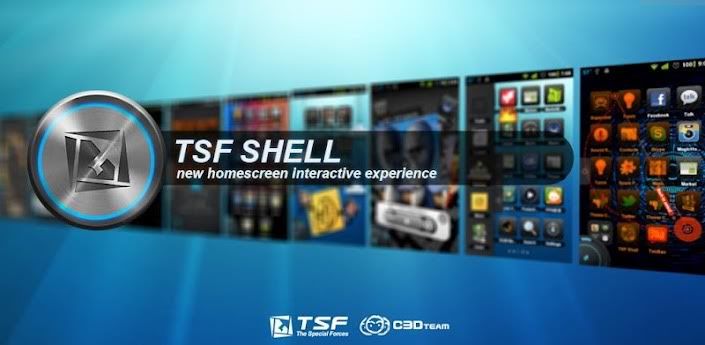
TSF Shell v1.4.01 and Lucky Patcher v1.1.10 Working Verification apk

TSF Shell v1.4.01 and Lucky Patcher v1.1.10 Working Verification apk
Description:
TSF Shell 3D is an interface with brand new operating system.
Enable you to freely personalize various widgets to a full range. Let’s say goodbye to the traditional operation system.

Features:
Enable you to do multipul-operation, including auto-arragement, multipul-choices, add-to-folder, multipul-deleting, to the items by only one move of the finger.
You can also check your folders in various ways.
TSF SHELL 3D has one app page and 4 personalized pages for our users. You can switch between pages by one click at the switch button in the lower left corner.
You can freely create one or more quicklinks for apps and drag them to any page. You can also distribute all the app icon (or even change their angles) freely in the personalized page.
The side column provides the most TSF Shell 3D charateristic widgets, including folders, contacts, music player, weather and so on.
The side column can be personalized as well, including changing the order and position of different catagories. You can create quicklinks of your most frequently used apps and contact in the quick launch in the side column.
TSF Shell 3D has a most powerful theme function. Apart from the difference in style, some themes even allow change in the transition animation.


Verification Method:
I managed to get this app working with Lucky Patcher v1.1.10

  1. Wipe data / Uninstall previous installation.
  2. Install fresh copy of apk, hit done and don't open yet.
  3. Run Lucky Patcher v1.1.10 by ChelpuS
  4. Once loaded, long press on TSF Shell
  5. Remove License Verification!
  6. Manual!
  7. Hit Backup, wait for conformation that backup is done.
  8. Now select Object N1 from the drop-down menu.
  9. Tap ~Patch~
  10. Ok
  11. Again, long press on TSF Shell
  12. Fix dalvik-chache changes
  13. Dalvik-Cache Fix Apply!
  14. Run TSF Shell as fully registered.

Once the shell is running, pressing my menu button, TSF, check for update...
It loads the app page in google play, stating it's installed, without any verification check at all.
I've even installed the additional widgets and they're all working within the shell also.

Hope this info is useful to you guys, and you all can enjoy TSF Shell as much as I am.

RapidShare & MediaFire are both mobile friendly.

https://rapidshare.com/files/3382213..._Shell-dts.zip

http://www.mediafire.com/?auf76f8b4b0r96o

http://www.megashare.com/?r=TSFShell

http://www.mirrorcreator.com/files/S...-dts.zip_links

Zip file contains:
Lucky Patcher v1.1.10.apk
TSF Shell v1.4.01.apk

Friday, 13 April 2012

Google Play Store Android Market v3.5.16 apk


Google Play Store Android Market v3.5.16 apk

Google Play Store Android Market v3.5.16 apk
Requirements: Android v2.0+
Overview: Play Anywhere, All your entertainment in one place, Google Play is your one-stop shop for all your favorite entertainment.
Google Play Store Android Market v3.5.16 apk


Google Play is your one-stop shop for all your favorite entertainment. With over 450,000 apps, millions of songs and books, and thousands of movies, Google Play has something for everyone. Before you decide what you want, sample a free music or book, view app ratings, reviews, and screenshots, or watch a movie trailer. Google Play is a more connected, powerful experience.

The power of the cloud
How cool would it be if your entertainment was just available anywhere? Now it is. Buy a book on your Android phone and read it on the web at play.google.com. http://goo.gl/lMv6T Buy a new album on your Android tablet and listen to it on your desktop at work. Rent a movie online and watch it anywhere on your phone. That’s the beauty of the cloud. You can read, listen and watch all your favorite content anywhere you want. No software required and no wires or syncing needed, and the best part - Google Play cloud is free to use.

Share what you love
Discover, shop, enjoy, and share music, movies, books, and apps anytime, anywhere. When you discover an amazing song, a nail-biting thriller or memorable movie, the first thing you want to do is share it with your friends. On Google Play sharing your favorite entertainment just got easier. You can easily share posts about your favorite books, music, movies, games or apps to your circles on Google+, email, or text message in a single click.

Play with music
Find music you love
Google Play has hand-picked rising artists and great bands from your favorite genres. With music on Google Play, you’ll get personalized recommendations based on what you listen to most. And when you're not shopping for new music, rediscover your library by creating an Instant Mix.

Buy now, listen now, sync never
There are hundreds of free songs and millions more to buy on Google Play. The music you choose is automatically stored in your Google Play music library and instantly ready to play on your computer, Android phone or tablet.

Your music, anytime, anywhere
Access your Google Play music library anywhere, anytime - no syncing, no wires. Stream music instantly on the Web and listen on your Android phone or tablet with the Google Play Music app. Not online? No problem. Just pin your favorites to your mobile device for offline playback.

Organize your music
Keep all your music in one place. Anything you get on Google Play is automatically stored in your music library and you can even add up to 20,000 of your own songs for free. With your music saved online, you can stop worrying about storage space and start enjoying your collection anywhere.

Give your friends a free listen
Sharing is caring. When you buy music on Google Play, you can share a free listen with your friends on Google+. And you get a free listen when they share what they've bought with you. It's sharing, discovering and buying music made simple.

Play with books
Find new books
Discovering your favorite books and authors has never been easier. With Google Play, shop the world's largest selection of eBooks - from thrillers to comedy, cookbooks, bestselling fiction, and everything in between - find over 4 million books to choose from, including millions of free titles. With Google Play, your next great read is always at your fingertips.

Buy anytime, anywhere
Shop on the web or on your device, find the eBooks you love, and start reading instantly. Choose from millions of titles, browse new releases, sample books for free, and find the latest up-and-coming authors.

Share what you love
Sharing the books you love with family and friends is just a click away. With Google Play you can easily post your favorite reads to your circles on Google+, via email, or text message, right from the pages of your book, without skipping a beat.

Your books in the cloud
With Google Play enjoy seamless syncing and easy access across your devices. All your books are stored in the cloud, so your entire library is always with you, accessible from any connected device. And with offline reading, it’s never been simpler to dive into your favorite books when you are offline, out of range, or in the air. Start reading on your tablet, continue on the web, and finish that chapter on your phone. You’ll pick up the story just where you left off, always on the right page.

Customize your reading experience
Read your books any way you like them on Google Play. Easily switch between day or nighttime mode, view in landscape or portrait, choose your font, text size, line height, and customize to your heart’s content.

Play with apps and games
There is an app for everyone
Race to the finish line. Score a goal. Buy stocks. Read the news. Buy movie tickets. Update your status. Personalize your phone with live wallpapers, ringtones, and widgets. With over 450,000 Android apps and games your phone truly is your mobile entertainment system, organizer and portable computer all wrapped in one.

Find new apps and games
Looking for new apps? Check out our staff picks, hand-picked by our editorial team, browse apps by category or just search for them. You can also read reviews and ratings from other app and games users, and even add your own.

Get the latest updates
App developers are always updating their amazing apps with new features, tools and fixes. Google Play makes keeping your favorite apps up to date easy. Select ‘update automatically’ in your app settings and your app will always be updated. Or choose to update all your apps in one click. It’s that simple.

Get your favorite app, anywhere
Just found a new app on the web and can’t wait to try it? Install it from Google Play on the Web without ever touching your device. The app you install is now available on the device you choose - instantly.

Play with movies
Find the movies you love
Choose from an incredible selection of thousands of movies on Google Play including HD titles, new releases, award-winning films or your favorite classics. Whether you’re in the mood for comedy, drama, animation, action or a documentary, there’s a movie that’s right for you.

Watch it now or later
Rent movies and watch them instantly. Alternatively, download your movie for offline viewing and view it later using the Google Play Movies app or watch it directly on the Web.

Watch it anywhere
Watch Google Play movies anywhere -- your couch, your friends’ house or in-flight. When you rent a movie with Google Play you can watch it on your phone, tablet or any Web connected PC.


What's in this version :
  1. new interface for the applications installed