Labels

eXTReMe Tracker

Saturday, 1 December 2012

Flow Theme for CM9/CM10 apk v1.7 download

Flow Theme for CM9/CM10 v1.7
Requirements: Android 4.0+
Overview: “For anyone that having problems with apply the theme or getting errors apply the default theme first then reboot and apply the flow theme”
Hello every one
This image has been resized. Click this bar to view the full image. The original image is sized 680x333px.

[break]
This theme works with AOKP/CM9 and it supports [XHDPI/HDPI] screen resolutions! AND now works with Paranoid Rom too!
I tried to make this theme as bugfree as possible with a really clean and elegant look.
Almost every thing is theme with 15 UNIQUE! new android icon redesigned from scratch!
You’ll really understand how great this theme looks on SAMOLED screens.
WHAT IS NEW TO THIS THEME?
Improved Soft keys
New very clean and modern blue system color
15 New system icon with HD quality clean and sharp
and they give a new fresh look to Android
New cleaner settings look
New switchers
New Volume sliders
New Contacts design
New Messaging design
New clean and modern blue Spinner animation
New design for notification panel
New dialer
New and really awsome camera design!
Improved compatibility with Nova, Trebuchet and Apex Launchers
What’s in this version:
Improved HDPI version
Improved Dialer Sub Letters
Improved Softkeys
Improved HDPI Settings Toggles
Improved XHDPI Silent Icon
Fixed Notification Pull down Big Blue Line
Fixed HDPI Orange Lines
Fixed HDPI Battery Icon When 71% wrong icon displayed
Fixed H+ Icon
Reduce Apk Size
This app has no advertisements
More Info:
Code:

FBReader apk v2.0 beta 4 download

FBReader v2.0 beta 4
Requirements: Android v2.1+
Overview: FBReader (FBReaderJ) is an e-book reader. Supports epub, oeb and fb2(.zip) file formats.
FBReader (FBReaderJ) is an e-book reader. Supports epub, oeb and fb2(.zip) file formats.
FBReader is fast, highly customizable. Can use external TrueType/OpenType fonts. Includes hyphenation patterns for 16 languages.
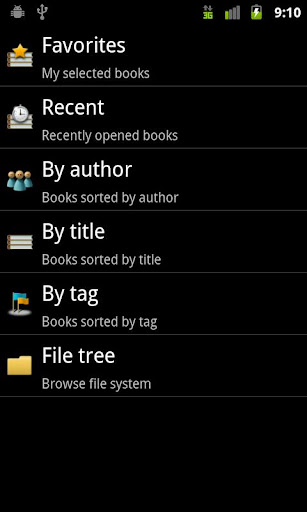
Includes a browser/downloader for network e-book catalogs/stores. Several popular English, French, Russian, Chinese and Polish libraries are included. Custom OPDS catalogs are supported too.
Alternatevly, you can download books manually and put them into /sdcard/Books catalog on your device.
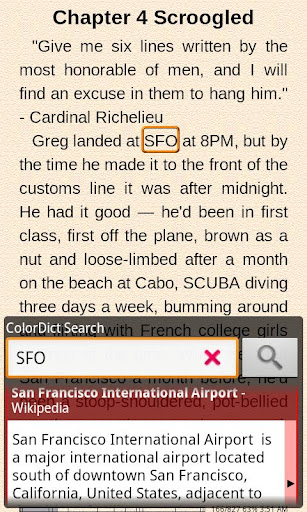
FBReader is integrated with external dictionaries. Supports ColorDict, Fora Dictionary, FreeDictionary.org.
Localized for 14 languages. Open-source (GPL).
Similar applications: Aldiko, Laputa, Cool Reader, Moon+ Reader
Keywords: ebook, e-book, e-reader, reader, oeb, epub, fb2, fb2.zip, *.txt, *.rtf и *.html
More Info:
Code:

PSY GANGNAM STYLE LWP and Tone apk v1.2 download

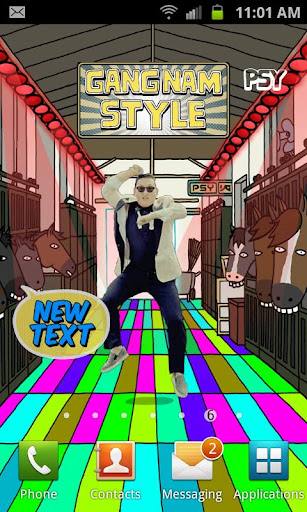
This image has been resized. Click this bar to view the full image. The original image is sized 680x332px.


Gangnam Style has 700 million YouTube views and counting, be a part of the global phenomenon! Get the only OFFICIAL PSY GANGNAM STYLE live wallpaper and Ringtone to show that you’re his #1 fan!
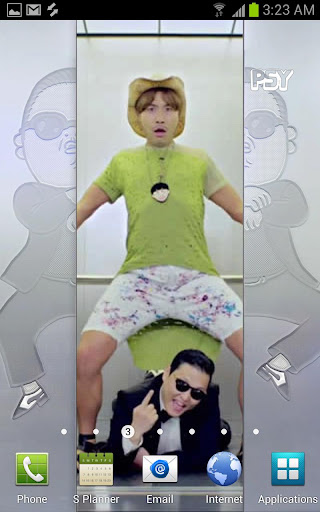
The live wallpaper contains the legendary elevator scene from the music video. Tap on your screen and the elevator doors open to reveal the famous dance performed above PSY’s head.
Of course, this app comes with the official “Gangnam Style” ringtone, for you and your friends to dance to ALL DAY LONG!
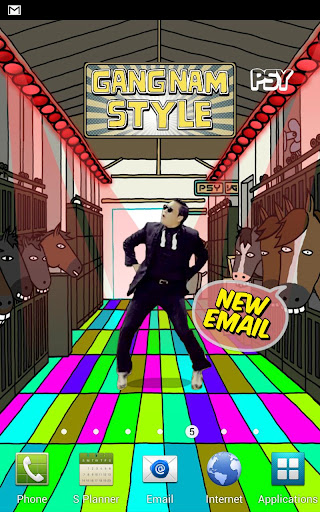
The fun doesn’t stop there. Whenever your device receives a TXT or GMAIL notification, your home screen will be transformed into a multicolored disco floor with PSY performing his trademark dance moves!
The Live Wallpaper also features PSY’s latest Tweets and Concert updates directly on your homescreen via the official PSY Twitter feed and official Bandsintown concert feed.
This is an amazing live wallpaper to compliment an amazing song!
Show your love for PSY – Gangnam Style by downloading NOW!
What’s in this version : (Updated : Nov 15, 2012)
additional support for tablet devices
Required Android O/S : 2.3+
play
Code:

ICS GO Launcher EX Theme apk v1.0 download

ICS GO Launcher EX Theme v1.0
Requirements: Android 2.0+
Overview: ICS – a topic for GO Launcher EX-style Android 4.0
[break]
More Info:
Code:

FlexR Pro (Shift planner) apk v3.4download

FlexR Pro (Shift planner) v3.4
Requirements: 2.1 and up
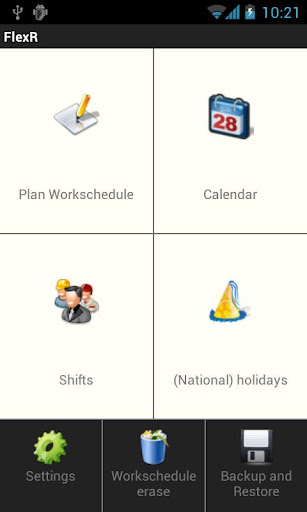
Overview: FlexR, for people who work in varying shifts.
Now With Google Calendar Sync!

[break]
If you are stepping over from the free version, make a Backup in the free version and Restore it in this Pro version.
Then you can remove the free version and switch in Google Calendar Sync.
———————————————————–
FlexR gives you the opportunity to make shifts and linking it to one or several days.
The app is meant for people in varying (flexible) shifts without fixed working hours. They can see at a glance when they have to work.
SDCard access is needed for the backup.
Keywords: flexr Flexr schedule calendar shifts planning klwinkel
This app has no advertisements
More Info:
Code:

Pocket apk v4.3.2 download

Pocket v4.3.2
Requirements: Android 2.2+
Overview: When you find something on the web that you want to view later, put it in Pocket. It automatically syncs to your phone, tablet or computer so you can view it any time, even without an internet connection.

This image has been resized. Click this bar to view the full image. The original image is sized 680x332px.

The best way to save and view articles, videos and more.
When you find something on the web that you want to view later, put it in Pocket. It automatically syncs to your phone, tablet or computer so you can view it any time, even without an internet connection.
New York Times, Business Week, and TechCrunch call it “DVR for the web.”
Previously the #1 paid Android news app, now free!
Use Pocket when you discover an interesting article, video or web page, but dona€™t have time to view it. Once it’s in Pocket, it’s on your phone, tablet or computer. You can read an article during a flight, see a web page while you wait in line or watch a video while relaxing at home.
WHAT YOU CAN POCKET
Articles, videos or pretty much anything you find online.
VIEW EVERYWHERE
If it’s in Pocket, it’s on your phone, tablet, and computer.
EASY ON THE EYES
See your articles, videos and everything else in a beautiful, easy-to-view layout.
SAVE FROM ANY APP
Save to Pocket from any app on your Android device. Just tap ‘Add to Pocket’ when sharing a page.
READ IT LATER USERS
Simply log into Pocket using your Read It Later username and password for a seamless transition.
Download Pocket today and start saving!
What’s in this version:
v4.3.2:
- Improved performance (load time, responsiveness) in Settings
- On Android 4.0 or newer, on screen buttons will now dim for fullscreen mode
- New rotation lock graphic to suit Androida€™s style
- A few UI tweaks & fixes.
This app has NO advertisements
More Info:
Code:

GMD GestureControl ★ root apk v5.1.0 download

GMD GestureControl ★ root v5.1.0
Requirements: 3.1 and up
Overview: Control tablet with MULTITOUCH gestures like iPad. Hide status bar, full screen.

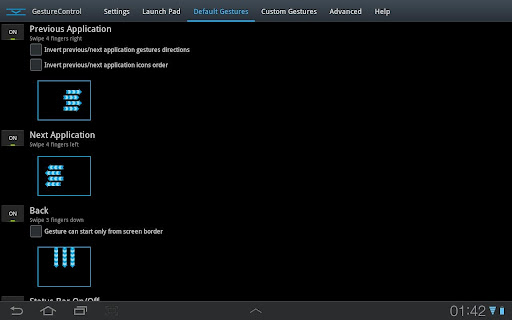
This image has been resized. Click this bar to view the full image. The original image is sized 512x320px.

[break]
Control device with MULTITOUCH and MULTITASK gestures similar to iPad. Works in all applications. You can even hide status bar and enjoy full screen in your favorite games or while browsing.
★ Try Lite version before you buy
★ Requires root access
★ USB Debuging must be enabled in Android setting
★ Multitouch
★ Multitask – start any application, shortcut or custom action without leaving current application
★ Custom actions – LaunchPad, Start application, Previous Application, Next application, Home, Kill current application, Back, Forward, Recent application list, Recent application dialog, Menu, Notification Panel, Hide/Show status bar, Start launcher shorcut(bookmark, contacts, settings, etc), Start Tasker task, Pause gestures, Exit, Screen Off (lock), Alt+Tab, Music Play/Next/Previous, Volume, Search, Voice Search, Select Input Method.
★ Swipe 4 fingers right – open previous application
★ Swipe 4 fingers left – open next application
★ Expand 4 fingers – LaunchPad (similar to SwypePad, start any application, shortcut or custom action)
★ Pinch 4 fingers – Home gesture
★ Swipe 3 fingers down – Back gesture
★ Swipe 3 fingers up – Bottom recent applications bar
★ Swipe 4 fingers up – Hide/Show status bar (experimental)
★ Custom gestures – create your own gestures to start any application, shortcut or custom action
THERE IS NO WAY TO ANSWER MARKET COMMENTS OR CONTACT COMMENTATOR – EMAIL ME IF YOU WANT ANSWER.
Please don’t post your problems in market, email me or go post to XDA, thanks:
http://forum.xda-developers.com/show….php?t=1535740
If your device is listed as unsupported, please try default parsers:
1) Start application
2) Open Advanced tab
3) Is multitouch device detected properly? If not, enable ‘Override multitouch device detection’ and select your multitouch device.
4) Enable ‘Override touch events parser detection’. Select HC_DEFAULT. Click ‘Restart service’, wait a few seconds, try if it is working.
5) If it is not working with HC_DEFAULT, try ICS_DEFAULT. Don’t forget to restart service again.
6) If you make it work, please go to Help tab, click List devices and send me screenshot. Tell me that it is working with these settings. I will update application so it is detected properly in next version.
7) If it still do not work, contact me by email: goodMoodDroid@gmail.com
Known issues:
- On ICS hiding bar will reset your wallpaper to default.
Live wallpapers don’t have issues. You can use “simple image wallpaper” from market to solve this problem.
- On ICS hidden bar might reapear on some ROMs
- There is no issues on Honeycomb.
Description: This application allows you to control tablet with gestures.
Swipe 4 fingers up to hide status bar. Do same gesture again to restore bar.
Swipe 4 fingers right to open previous application.
Swipe 4 fingers left to open next application.
Pinch with 4 fingers anywhere on screen to return to home screen from any application.
Swipe 3 fingers down to execute back action in any application.
Swipe 3 fingers up to show custom bottom bar with recent applications.
Expand 4 fingers anywhere on screen to open LaunchPad dialog. It is similar to SwypePad and allows start your most often used applications, shortcuts or custom actions anywhere anytime with simple gesture.
Works in all applications, games and browsers.
Application will use freed space when you hide status bar. Some games even work better with status bar hidden.
There is an option to switch to single touch gestures if its more convenient. You can even create your own gestures for any action.
Full version adds following features: option to hide notification icon, custom gestures and special actions, any number of actions in LaunchPad.
Tags: Hide bar, gesture, gestures, gesture control, gesturecontrol, status bar, system bar, full screen, Honeybar, ICS, SwypePad, iPad, GMD, G.M.D.
This app has no advertisements
More Info:
Code: